
Are your teams drowning in manual data entry, missed follow-ups, and inconsistent processes? If your company is growing but everything somehow feels slower, you aren’t alone. Many founders and operators hit a frustrating wall where administrative drag begins to stifle momentum. You are adding revenue, but your margins are shrinking, and your team is burning out. This is exactly where workflow automation for small business steps in as a transformative lever.
Simply put, workflow automation connects your apps and systems to automatically move work forward without manual handoffs. Instead of an employee copying data from an email into a spreadsheet, and then into a CRM, the software handles the data transfer instantly and flawlessly.
In 2026, small to mid-sized businesses (SMBs) that automate workflows see dramatically higher productivity, fewer errors, faster growth, and better margins—often achieving double- or triple-digit ROI inside 12 months. The days of automation being an enterprise-only luxury are over. Today, business process automation is a core survival skill and a primary driver of competitiveness.
Consider these compelling 2025–2026 industry statistics:
- 68% of SMBs now use workflow automation (up from just 25% in 2023), reporting 200–500% ROI and average annual savings exceeding $46,000.
- Teams that automate repetitive tasks reclaim 10–20 hours per week per employee, with median payback periods hovering around 4–6 months.
- Automated workflows cut process errors by 50–80% and reduce operational costs on automated processes by 25–50%.
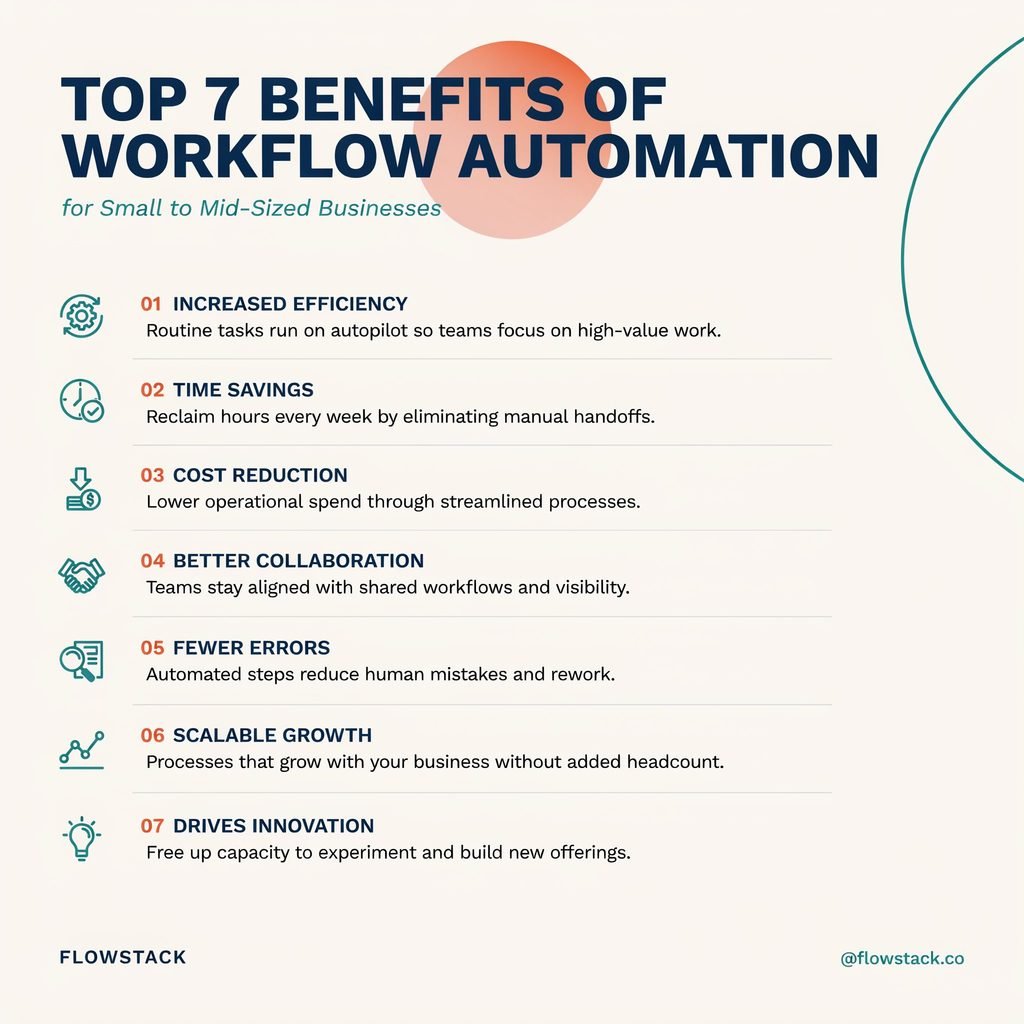
If you are currently evaluating small business automation tools, the data is clear: this is no longer a “nice-to-have” upgrade. Here are the top 7 workflow automation benefits SMBs actually experience when they automate their workflows—and how to start seeing them in your business.
1. Massive Time Savings and Productivity Gains
The most immediate and visible impact of SMB automation is the sheer amount of time it gives back to your team. Automation specifically targets repetitive, rule-based tasks that drain human energy: data entry, lead routing, invoice generation, appointment scheduling, and weekly reporting.
When you automate 40% of recurring tasks, the productivity gains for SMBs are staggering. Industry data shows that employees save an average of 3.6 hours per week when repetitive tasks are automated. However, in operations-heavy roles, some teams report reclaiming 10–20 hours weekly. In fact, small businesses with 5–50 employees saved an average of 16 hours per week after deploying just 5 to 10 core workflows.
Mini-Scenario: The Marketing Agency
Imagine a 12-person digital marketing agency. Previously, when a prospect filled out a “Contact Us” form, an account manager had to manually read the email, copy the prospect’s details into the CRM, draft a welcome email, send a Slack notification to the sales director, and create a follow-up task in Asana. By automating this lead capture flow (Form → CRM → Slack → Task Creation), the agency saves roughly 8 hours a week in pure manual admin.
The Consultant’s Take:
Think about time savings automation in terms of capacity. Reclaiming 10 hours a week per employee is nearly one full-time equivalent (FTE) per every five employees. You are effectively expanding your workforce without adding to your payroll, allowing your team to pivot from data-entry clerks to strategic, revenue-generating advisors.
2. Fewer Errors and More Consistent Processes
Human beings are brilliant at strategy, empathy, and creative problem-solving. We are terrible at performing the same repetitive data-entry task 500 times a day without making a typo. Manual handoffs between departments inevitably lead to missed steps, transposed numbers, and inconsistent customer experiences.
When you actively reduce manual errors business leaders often see an immediate bump in bottom-line profitability. Error reduction automation ensures that data flows exactly as programmed, every single time.
- Workflow automation reduces processing errors by as much as 50–80%, with some 2026 reports showing 67% fewer process errors compared to fully manual workflows.
- Manual data entry and processing errors can silently cost businesses 1–3% of their annual revenue in leaked margins, wasted materials, and refunded services. Automation directly attacks this leakage.
Mini-Scenario: The E-Commerce Brand
Consider a mid-sized e-commerce brand selling custom hardware. In a manual setup, an order is placed online, printed out by a warehouse clerk, and manually typed into the shipping software. This leads to mismatched SKUs, wrong shipping addresses, and delayed shipments. By automating the order-to-invoice-to-fulfillment pipeline, the system instantly pushes the exact SKU and verified address to the warehouse printer and the shipping API.
The downstream effects of consistent business processes are profound: fewer customer complaints, drastically less time spent by your support team fixing mistakes, and a much stronger, more reliable brand reputation. For growing companies, operational consistency SMB leaders rely on is the bedrock of scaling trust.
3. Faster Cycle Times and Quicker Customer Responses
In business, speed is a competitive advantage. “Cycle time” is simply how long it takes to move a task, lead, or request from start to finish. In a manual environment, cycle times are bottlenecked by human availability—waiting for an approval, waiting for someone to check their inbox, or waiting for a weekly meeting.
By deploying workflow automation software, you compress these lead times dramatically. Process cycle times can decrease by 30–70% after automation. Automated lead follow-up, ticket triage, and faster approvals mean your customers hear back from you in minutes instead of days.
Mini-Scenario: The Local Home-Services Company
A regional HVAC and plumbing company relies on fast responses to win emergency jobs. Previously, a lead would come in via a website form, sit in a general inbox until the dispatcher checked it, and then require a phone call to schedule a tech. By implementing quicker customer response automation, the workflow now triggers instantly: Lead Intake → Instant SMS & Email Confirmation to the Customer → Automated Technician Assignment based on zip code → Calendar Booking.
This cycle time reduction SMB strategy cuts response time from four hours to four minutes. The connection to revenue is direct: faster responses exponentially increase conversion rates, reduce prospect drop-offs to competitors, and generate better online reviews. When you reduce process lead time, you don’t just save time; you actively capture market share.
4. Significant Cost Savings and Higher ROI
For an SMB owner, the financial case for automation must make sense on a spreadsheet. The ROI of workflow automation is compelling because it attacks costs from three angles: it reduces labor costs on repetitive tasks, it cuts error-related rework, and it improves throughput without requiring proportional headcount growth.
The cost savings automation delivers are well-documented in recent financial analyses of SMB tech adoption:
- SMBs report 200–500% ROI from workflow automation, with median ROI hovering around 240–380% within the first 12 months.
- The average payback period automation tools require sits around 4–6 months. Modern low-code platforms, in particular, show median payback in under half a year.
- Organizations see an average ROI of 250% in year one, with historical data suggesting that for every $1 spent on automation architecture, businesses see roughly $6.30 returned over a three-year period.
- On average, SMBs utilizing automation report annual operational savings exceeding $46,000.
Let’s Look at the Math:
Imagine a 20-person team where each employee saves just 10 hours a week through automation. At an average loaded employee cost of $30/hour, that is 200 hours saved weekly. Over 52 weeks, you have reclaimed 10,400 hours. That equals roughly $312,000 a year in reclaimed capacity, minus the monthly subscription cost of your automation tools. When you factor in operational cost reduction SMB strategies like reduced paper, printing, and physical storage, the margin expansion is undeniable.
5. Scale Operations Without Proportional Hiring
The traditional growth model for small businesses is inherently flawed: more customers equal more administrative overhead, which equals the need to hire more staff, which ultimately squeezes your profit margins. Automation fundamentally changes this equation, allowing you to scale business without hiring at a linear rate.
When systems handle the heavy lifting of transaction processing, client onboarding, support ticket routing, and compliance reporting, your existing team can manage a much larger volume of business.
- Companies that automate business workflows report 27% higher revenue growth than those relying heavily on manual processes.
- Small businesses implementing automation report 28% higher revenue per employee within 18 months.
Mini-Scenario: The Light SaaS Startup
A B2B SaaS startup scales from 500 to 2,000 active customers over two years. In a manual model, their customer support and onboarding teams would need to quadruple in size. Instead, they leverage AI workflow automation 2026 capabilities. AI agents automatically categorize incoming support tickets, suggest knowledge-base articles to users before a human ever intervenes, and trigger personalized, behavior-based onboarding email sequences. The company quadruples its user base while keeping its support team size nearly flat.
This is the holy grail of operational scalability SMB founders strive for. By utilizing automation for business growth, you grow revenue without adding headcount, preserving your margins even as your top-line revenue explodes.
6. Better Visibility, Data, and Decision-Making
You cannot manage what you cannot measure. Manual processes inherently create siloed spreadsheets, shadow IT, missed updates, and inconsistent records. When data lives in someone’s head or on a local hard drive, leadership is flying blind.
Automation enforces a structured, standardized data flow between your tools. This results in process visibility automation that transforms how leadership operates:
- Real-Time Dashboards: You gain instant visibility into lead velocity, order fulfillment rates, open support tickets, and SLA compliance.
- Audit-Ready Workflows: Easier auditing and compliance because every single step, approval, and data change is time-stamped and logged consistently.
- Accurate Forecasting: Better resource planning and revenue forecasting based on reliable, unmanipulated data.
Mini-Scenario: The Accounting Firm
A mid-sized accounting firm struggles with seasonal bottlenecks. Client onboarding and document collection are done via scattered email threads. By automating the client intake process—triggering secure document upload links, automatically verifying received files, and assigning tasks to specific CPAs—partners gain a live dashboard view of the entire pipeline. They can instantly see which clients are holding up the process, where the bottlenecks are, and how utilized each CPA is.
This shift toward data-driven decisions automation allows leaders to spot operational issues weeks before they become crises. Instead of relying on gut feel or end-of-month post-mortems, real-time reporting SMB dashboards allow you to reallocate resources dynamically and test process improvements with hard data.
7. Improved Employee Morale and Retention
We often talk about automation in terms of software and margins, but the human element is equally critical. Repetitive, low-skill, copy-paste tasks drain motivation and lead to rapid burnout. Top talent does not want to spend their days formatting Excel cells or manually updating CRM statuses; they want to do the work they were actually hired to do.
Automation shifts your people toward analysis, creative strategy, and high-value customer interaction. The impact on company culture is measurable:
- Companies report up to 88% higher job satisfaction in departments where automation successfully removes tedious, manual work.
- Teams experience significantly less burnout when they aren’t constantly staying late to “catch up” on manual admin.
Mini-Scenario: The Creative Agency
A 30-person creative agency was facing high turnover among its Account Managers. The team was spending 15 hours a week pulling data from ad platforms to build manual weekly PDF reports for clients, and chasing down invoices. By automating weekly reporting (via API pulls into automated dashboard emails) and invoice generation, Account Managers reclaimed their Fridays. They shifted their time to strategy calls and campaign optimization. The result? Higher client retention, better campaign outcomes, and a massive drop in employee churn.
In today’s tight labor markets, it is vastly cheaper and faster to retain trained staff than to constantly recruit, hire, and onboard new employees. Using employee satisfaction automation to reduce burnout SMB teams face is a highly effective way to retain talent with automation, ensuring your team spends their days doing meaningful work automation enables.
How SMBs Can Start Seeing These Benefits in 90 Days
The biggest mistake SMB leaders make is viewing automation as a massive, company-wide IT overhaul. It shouldn’t be. Modern low-code automation for SMBs (platforms that let you build workflows using visual drag-and-drop interfaces instead of writing complex code) makes this highly accessible, even for non-technical operations managers.
To see results quickly, focus on six high-ROI workflow categories that drive roughly 80% of SMB automation value: lead follow-up, client onboarding, invoicing, appointment scheduling, email marketing, and reporting.
Here is a simple, 4-step roadmap to launch your first workflows in the next 90 days:
1. Audit Your Operations
Gather your department heads and list the top 10 repetitive, error-prone, or bottlenecked processes in your business. Ask your team: “What is a task you do every week that makes you want to pull your hair out?” Those are your prime candidates.
2. Prioritize by Impact
Don’t try to fix everything at once. Pick 2 to 3 processes that have the highest time waste, the highest error cost, or the most direct impact on revenue. For most SMBs, lead routing and client onboarding are the best places to start.
3. Design the Flow
Map out the current manual steps on a whiteboard. Then, design the automated flow using a simple logic structure:
- Trigger: What starts the process? (e.g., New form submission).
- Actions: What needs to happen? (e.g., Create CRM row, generate PDF contract).
- Notifications: Who needs to know? (e.g., Slack message to Sales).
- Updates: What is the final state? (e.g., Move Trello card to “Done”).
4. Implement, Measure, and Iterate
Use accessible platforms like Zapier, Make, or industry-specific low-code tools to launch a pilot. Set clear KPIs before you launch: track hours saved per week, error rates before and after, and cycle-time improvements. Once the pilot proves its value, expand the framework to other departments.
Final Thoughts: Why 2026 Is the Year SMBs Automate
The narrative around business technology has permanently shifted. Automation has moved definitively from an “enterprise-only” luxury to an “SMB essential.” With 68% adoption rates and undeniable financial advantages, the gap between automated and non-automated competitors is widening rapidly in terms of speed, cost structure, and customer experience.
In 2026, leveraging AI and low-code platforms isn’t about replacing your team; it’s about giving them the operational leverage they need to compete with companies three times their size. If you’re an SMB owner or operator, the question isn’t whether you can afford to automate—it’s whether you can afford not to.
Frequently Asked Questions (FAQ)
What is workflow automation for small business?
Workflow automation for small business is the use of software to automatically trigger a sequence of tasks, data transfers, or notifications based on specific rules or events. It connects your existing apps (like your CRM, email, and accounting software) so that work moves forward without manual human intervention, reducing admin time and eliminating data entry errors.
How much does workflow automation cost for SMBs?
The cost varies based on the complexity of your needs and the tools you choose. Entry-level low-code platforms (like Zapier or Make) can cost anywhere from $20 to $100+ per month. More robust, industry-specific workflow automation software or custom API integrations might range from $300 to $1,500+ per month. However, given that the average SMB sees over $46,000 in annual savings, the ROI typically justifies the software cost within the first few months.
What processes should small businesses automate first?
Small businesses should start by automating high-volume, rule-based processes that consume excessive staff hours. The best “quick wins” include:
- Lead Routing: Instantly assigning new website leads to the correct sales rep and triggering a follow-up email.
- Client Onboarding: Automatically sending welcome packets, contract signing links, and intake forms when a deal is marked “Closed-Won.”
- Invoicing & Reminders: Generating invoices upon project completion and automating payment reminder emails for past-due accounts.
How long does it take to see ROI from workflow automation?
Most SMBs begin seeing measurable time savings and error reduction within the first 30 days of deploying a new workflow. Financially, the median payback period for the cost of the automation software is typically between 4 to 6 months. By the end of year one, businesses frequently report an ROI of 200% to 500%, driven by reclaimed employee hours, reduced operational waste, and faster sales cycle times.