
Manual accounting processes are a silent drain on company resources. When finance teams rely on spreadsheets, email chains, and paper invoices to manage accounts payable (AP) and accounts receivable (AR), the result is almost always the same: slowed operations, costly data-entry errors, delayed payments, and a frustrating lack of cash-flow visibility. In a competitive business environment, finance leaders cannot afford to let administrative bottlenecks dictate their working capital strategy.
Enter finance workflow automation. By replacing fragmented, manual tasks with structured digital processes, organizations can streamline everything from invoice processing automation and approval routing to customer collections and payment reconciliation. Rather than acting as mere data-entry clerks, finance professionals can transition into strategic advisors. This guide explores how implementing automation across AP and AR functions drives operational efficiency, accelerates cash flow, and builds a scalable foundation for modern finance operations.
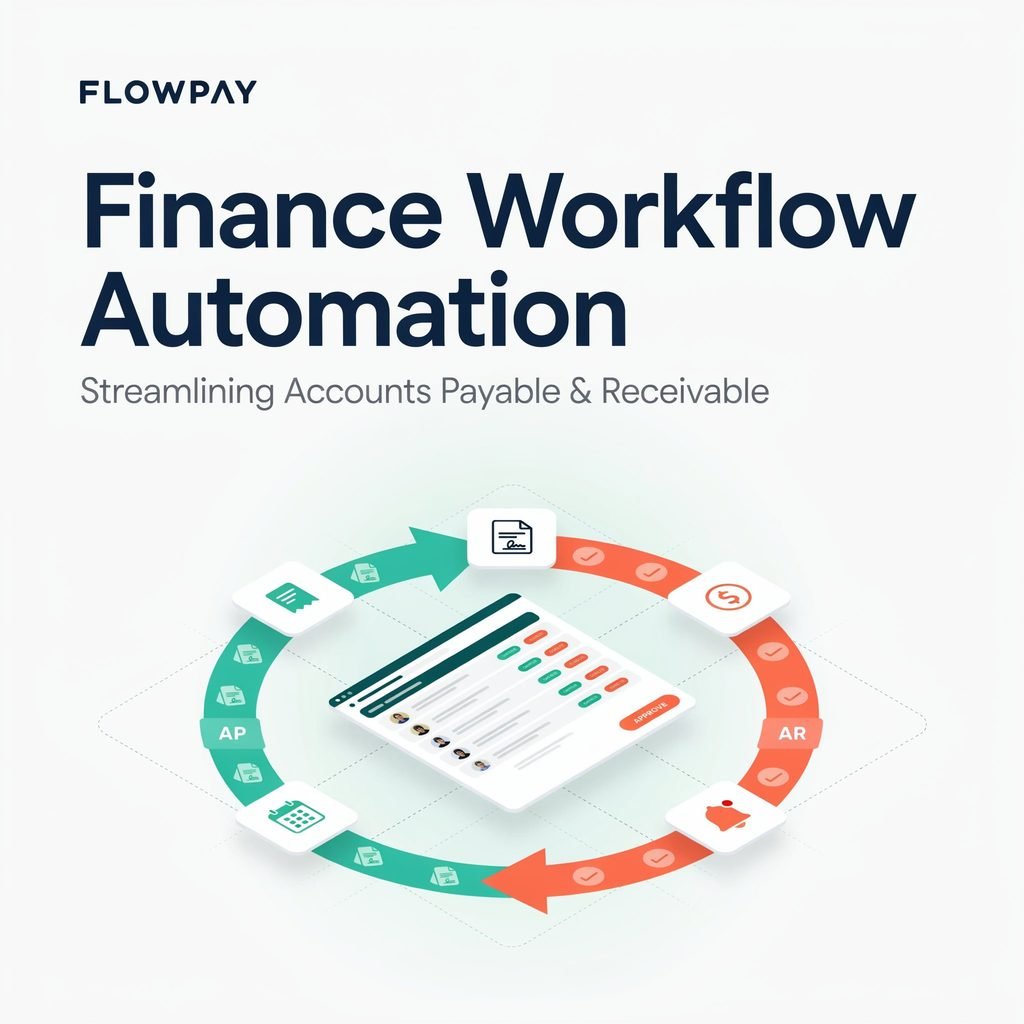
What Is Finance Workflow Automation?
At its core, finance workflow automation is the use of technology to digitize, route, and execute financial tasks without continuous manual intervention. It acts as the connective tissue between your people, company policies, financial documents, accounting systems, and payment gateways. Instead of an invoice sitting in an unmonitored email inbox, automation software captures the document, extracts the data, verifies it against internal records, routes it for approval, and schedules the payment—all while updating the general ledger in real time.
This concept extends far beyond simple data entry. A comprehensive finance process automation strategy encompasses accounts payable, accounts receivable, employee expense approvals, bank reconciliations, financial reporting, and the creation of immutable audit trails. It is a critical pillar of digital transformation in finance, moving departments away from reactive, paper-based record-keeping toward proactive, data-driven management.
By leveraging tools like AI in finance and deep ERP integration, workflow automation ensures that every financial transaction adheres to corporate policies and compliance standards. Whether a company is processing hundreds of vendor invoices a month or managing complex subscription billing for thousands of customers, workflow automation standardizes the financial lifecycle, ensuring that data flows accurately and securely from the initial transaction to the final reconciliation.
Why Manual AP and AR Workflows Create Bottlenecks
Relying on manual processes for accounts payable and accounts receivable introduces severe friction into the financial close process. When human beings are responsible for moving data from a PDF to an accounting system, bottlenecks are inevitable. These inefficiencies compound over time, leading to frustrated vendors, strained customer relationships, and inaccurate financial forecasting.
Common pain points in manual finance workflows include:
- Manual invoice data entry: Keying in line-item data from PDFs or paper invoices is tedious and highly prone to typos, leading to mismatched ledgers.
- Lost or delayed invoices: Invoices sent to a generic “billing@” email address or a specific employee’s inbox frequently get buried, delaying the entire payment cycle.
- Duplicate payments: Without automated duplicate-invoice detection, distracted AP clerks may accidentally pay the same vendor invoice twice.
- Slow approval chains: Chasing down department heads for physical or email signatures creates massive delays, often resulting in missed early-payment discounts.
- Missed payment deadlines: Late vendor payments incur penalties, strain supply chain relationships, and can negatively impact a company’s credit rating.
- Late customer payments: On the AR side, slow invoice generation and delivery give customers an excuse to delay their own payments.
- Manual dunning and collections: Relying on staff to manually track aging reports and send follow-up emails is awkward, inconsistent, and highly inefficient.
- Poor visibility into outstanding invoices: Finance leaders struggle to get a real-time view of cash commitments or incoming revenue when data is trapped in localized spreadsheets.
- Errors during reconciliation: Matching bank statements to internal ledgers manually at month-end is a notorious bottleneck that delays the financial close.
- Lack of audit readiness: Scattered email approvals and missing paper trails make external audits expensive, stressful, and time-consuming.
How Accounts Payable Automation Works
Accounts payable automation transforms the AP lifecycle from a reactive administrative burden into a streamlined, controlled operation. Modern AP automation software handles the heavy lifting through a highly structured, step-by-step workflow:
- Invoice Receipt: Invoices are ingested automatically via a dedicated AP inbox, a vendor portal, or direct electronic data interchange (EDI).
- Data Extraction: Using Optical Character Recognition (OCR) and machine learning, the system extracts key data points (vendor name, invoice number, line items, totals) without human typing.
- Automatic Coding: The software maps the extracted data to the correct general ledger (GL) accounts and department codes based on historical data or predefined rules.
- Three-Way Matching: For inventory or purchase-order-driven businesses, the system automatically matches the invoice against the original Purchase Order (PO) and the receiving receipt to ensure the company only pays for what was ordered and received.
- Rule-Based Routing: The system triggers an automated invoice approval workflow, routing the invoice to the correct stakeholder based on the dollar amount, department, or GL code.
- Exception Handling: If an invoice fails a three-way match or exceeds a budget threshold, it is automatically flagged for human review rather than stalling the entire queue.
- Payment Scheduling: Once approved, the system batches and schedules payments via ACH, virtual card, check, or wire transfer, optimizing for early payment discounts or cash preservation.
- Confirmation and Audit Trails: Upon execution, the ERP is updated, the vendor is notified, and a complete, time-stamped audit trail is saved.
Manual AP Processing vs. Automated AP Processing
| Feature | Manual AP Processing | Automated AP Processing |
|---|---|---|
| Speed | Slow; reliant on human data entry and email routing. | Fast; invoices processed in minutes or hours. |
| Accuracy | Low; high risk of keystroke errors and duplicates. | High; AI validation and three-way matching eliminate errors. |
| Visibility | Poor; requires manual spreadsheet updates to track status. | Real-time dashboards show exact invoice and payment status. |
| Approval Control | Weak; easy to bypass or lose track of email approvals. | Strict; enforced digital workflows with immutable audit logs. |
| Cost | High cost per invoice due to intensive labor requirements. | Significantly lower cost per invoice through operational leverage. |
How Accounts Receivable Automation Works
While AP automation focuses on controlling cash outflows, accounts receivable automation is designed to accelerate cash inflows and optimize working capital optimization. An effective AR workflow removes the friction from customer billing and collections, ensuring that revenue hits the bank account as quickly as possible.
The AR automation workflow typically follows these steps:
- Automatic Invoice Generation: Invoices are generated automatically based on triggered events, such as shipped goods, completed project milestones, or recurring subscription billing schedules.
- Electronic Delivery: Invoices are instantly delivered to customers via email, EDI, or a secure customer portal, eliminating postal delays.
- Embedded Payment Links: Digital invoices include “Pay Now” buttons, allowing customers to remit payment immediately via credit card or ACH directly from the invoice.
- Automated Reminders and Dunning: The system triggers polite, automated payment reminders before the due date, and escalates to firmer dunning sequences if an invoice becomes past due.
- Cash Application: When a payment is received, AI-driven payment reconciliation tools automatically match the incoming bank deposit to the corresponding open invoice, even handling short-pays or batched payments.
- Real-Time Aging Reports: Finance teams have instant access to up-to-the-minute AR aging reports, eliminating the need to build manual spreadsheets.
- Collections Prioritization: The software flags high-risk accounts or severely overdue invoices, allowing collections staff to focus their energy where it will have the biggest financial impact.
By systematically removing delays from the billing cycle and enforcing disciplined collections, AR automation directly reduces days sales outstanding (DSO). A lower DSO means cash is freed up faster, allowing the business to reinvest in growth, pay down debt, or weather economic downturns without relying on expensive external credit lines. Ultimately, accounts receivable automation is a direct lever for superior cash flow management.
Key Benefits of Automating Accounts Payable & Receivable
The decision to adopt finance workflow software is rarely just about adopting new technology; it is about fundamentally improving the financial health and operational agility of the business. When AP and AR are automated in tandem, the compounding benefits touch every corner of the organization.
- Faster Invoice Processing: Automation reduces the invoice-to-pay cycle from weeks to days, allowing companies to capture lucrative early-payment discounts from vendors.
- Fewer Manual Errors: By removing human keystrokes from data entry and relying on automated validation, companies virtually eliminate costly overpayments, underpayments, and misallocations.
- Lower Processing Costs: The cost to process a single invoice drops significantly when software handles the routing and data extraction, allowing finance teams to scale without adding headcount.
- Improved Cash-Flow Visibility: Real-time dashboards give CFOs and controllers an exact view of upcoming cash outflows and expected inflows, enabling highly accurate cash forecasting.
- Better Vendor Relationships: Paying vendors accurately and on time builds trust, which can lead to better pricing, priority service, and more favorable payment terms.
- Faster Customer Collections: Automated, professional dunning sequences remove the emotion and awkwardness from collections, leading to faster remittances and improved customer compliance.
- Stronger Working Capital Management: By extending AP terms strategically while simultaneously accelerating AR collections, businesses optimize their cash conversion cycle.
- Reduced Payment Fraud Risk: Automated systems enforce segregation of duties, require multi-factor authentication for payment releases, and flag suspicious vendor banking changes.
- More Accurate Financial Reporting: Because data flows directly into the ERP without manual journal entries, financial statements reflect the true state of the business in real time.
- Easier Month-End Close: With transactions continuously reconciled and approved throughout the month, the dreaded “month-end crunch” is reduced from a week-long marathon to a few days of final review.
- Improved Compliance and Audit Readiness: Every action, approval, and edit is logged. When auditors arrive, providing a complete digital paper trail takes minutes rather than days.
- More Time for Strategic Finance Work: Most importantly, automation frees accountants and analysts from mundane administrative tasks, allowing them to focus on financial modeling, variance analysis, and strategic business partnering.
Essential Features to Look for in Finance Workflow Automation Software
Selecting the right platform is critical to the success of your digital transformation in finance. When evaluating vendors, ensure the solution goes beyond basic robotic process automation in accounting and offers deep, intelligent workflow capabilities. Use this practical buyer’s checklist:
- OCR and Intelligent Document Processing: The system must accurately read and extract data from unstructured PDFs, scanned images, and paper invoices without requiring rigid templates.
- AI-Powered Invoice Capture and Coding: Look for machine learning algorithms that “learn” your GL coding preferences and vendor behaviors over time, improving accuracy with every transaction.
- Three-Way Match Automation: Essential for product-based businesses to automatically verify invoices against POs and receiving logs.
- Custom Approval Workflows: The software must allow you to build complex, multi-tiered routing rules based on vendor, department, project, and dollar thresholds.
- Deep ERP and Accounting Integrations: Seamless, bi-directional sync with your core financial system (e.g., NetSuite, Sage Intacct, Microsoft Dynamics, QuickBooks) is non-negotiable.
- Vendor and Customer Portals: Self-service portals allow suppliers to upload invoices and check payment status, while customers can view statements and remit payments securely.
- Payment Automation: The platform should support global payment rails, including ACH, wire transfers, virtual cards, and integrated check printing.
- Duplicate-Payment Prevention: Built-in logic to catch duplicate invoice numbers, amounts, and dates before a payment is authorized.
- Automated Reminders and Collections Workflows: Customizable dunning templates and automated scheduling for AR follow-ups.
- Real-Time Dashboards and Reporting: Visual analytics that track KPIs like invoice cycle time, DSO, and cash flow forecasting.
- Role-Based Permissions: Strict access controls to ensure employees can only view or approve transactions relevant to their role.
- Audit Trails and Compliance Controls: Immutable logs detailing who approved what, when, and from which IP address.
- Bank Reconciliation Tools: Features that automatically match cleared bank transactions to internal ledger entries.
- Scalability and Security: Enterprise-grade data encryption (SOC 2 compliance) and the ability to handle increased transaction volumes as your business grows.
How to Implement Finance Workflow Automation: Step-by-Step
Implementing new financial technology requires careful planning to ensure user adoption and process alignment. Follow this actionable roadmap to successfully deploy AP and AR automation:
- Map Current AP and AR Processes: Document exactly how invoices and payments are handled today. Identify who touches the data, what systems are used, and where documents are stored.
- Identify Manual Bottlenecks and High-Volume Tasks: Pinpoint the exact pain points. Are approvals taking too long? Is cash application a month-end nightmare? Focus your automation efforts on the highest-ROI areas first.
- Standardize Invoice, Billing, Approval, and Coding Rules: Automation requires logic. Before buying software, standardize your GL coding structure, define clear approval hierarchies, and establish uniform billing terms for customers.
- Choose Software that Integrates with the Existing ERP: Select a platform that natively integrates with your current accounting system to avoid creating disjointed data silos.
- Start with a Pilot Workflow: Do not attempt a “big bang” rollout. Start by automating a single process, such as AP invoice ingestion for a specific vendor subset or AR dunning for a specific customer tier.
- Configure Approval Rules and Exception-Handling Procedures: Set up the digital routing rules and clearly define what constitutes an “exception” that requires human intervention.
- Train Finance, Procurement, and Sales Teams: Technology only works if people use it. Provide comprehensive training to the AP clerks, the department heads approving invoices, and the sales teams managing customer relationships.
- Track KPIs: Measure success by tracking metrics such as invoice cycle time, DSO, late payment fees, error rates, and time spent on reconciliation.
- Expand Automation Gradually: Once the pilot is successful and the team is comfortable, roll the automation out to the rest of the organization and expand into adjacent processes like expense management or procurement.
Common Challenges and How to Avoid Them
While the benefits of finance process automation are vast, implementation is not without its hurdles. The most common challenge is poor data quality. If your vendor master file is filled with duplicate entries or outdated banking information, the automation software will simply process bad data faster. Mitigation: Dedicate time to cleansing your master data files before going live.
Another challenge is a lack of process standardization. If every department approves invoices differently, configuring the software becomes impossible. Mitigation: Enforce company-wide standard operating procedures (SOPs) prior to configuration.
Organizations also face resistance to change. Approvers may prefer email, and AP staff may fear their jobs are being replaced. Mitigation: Frame automation as a tool that eliminates tedious data entry, allowing staff to focus on higher-value exception handling and vendor relationship management.
Finally, companies often make the mistake of over-automating complex exceptions. Not every scenario can be handled by a rigid rule. Mitigation: Design workflows that seamlessly route complex, high-dollar, or mismatched invoices to human experts rather than forcing them through an automated queue.
Finance Workflow Automation Use Cases by Business Size
The application of finance workflow automation scales beautifully across different organizational stages:
- Small Businesses: For SMBs, automation is primarily about cash flow survival and saving time. Basic AP/AR tools help small teams avoid late fees, ensure they get paid faster by clients, and eliminate the need to hire a full-time dedicated AP/AR clerk.
- Mid-Market Companies: As transaction volumes surge, mid-market firms use automation to manage multi-entity consolidations, complex approval hierarchies, and deep ERP integrations. The focus shifts to optimizing working capital and preparing for audits or potential M&A activity.
- Enterprises: Large organizations leverage advanced AI and robotic process automation in accounting to handle global supply chains, multi-currency payments, complex tax compliance, and thousands of daily transactions across dozens of international subsidiaries.
Frequently Asked Questions (FAQs)
What is finance workflow automation?
It is the use of software to digitize, route, and execute financial tasks—like invoice processing and approvals—eliminating manual data entry and reducing errors.
What is the difference between AP automation and AR automation?
AP (Accounts Payable) automation manages outgoing vendor payments and expenses, while AR (Accounts Receivable) automation manages incoming customer billing, collections, and cash application.
Can finance workflow automation reduce late payments?
Yes. Automated reminders ensure customers pay on time, while automated approval routing ensures your company pays vendors before deadlines, avoiding late fees.
Does AP automation integrate with QuickBooks, NetSuite, Sage, Xero, or Microsoft Dynamics?
Yes, modern finance workflow software features native, bi-directional integrations with all major cloud ERPs and accounting platforms.
Is AI useful in invoice processing?
Absolutely. AI in finance allows software to read unstructured invoices, extract line-item data, and learn GL coding preferences with high accuracy over time.
How long does implementation take?
A standard AP or AR automation rollout typically takes 30 to 90 days, depending on the complexity of your ERP integration and approval workflows.
Is finance automation secure?
Yes. Enterprise-grade platforms utilize bank-level encryption, multi-factor authentication, role-based permissions, and maintain SOC 2 compliance to protect financial data.
Which finance tasks should be automated first?
Start with high-volume, repetitive tasks that consume the most time, such as manual invoice data entry, three-way matching, and routine customer payment reminders.
Conclusion
The shift toward finance workflow automation is no longer just a technological upgrade; it is a strategic necessity for modern businesses. By streamlining accounts payable and accounts receivable, organizations can drastically reduce manual labor, eliminate costly errors, and achieve unprecedented visibility into their cash flow. Automation transforms the finance department from a historical record-keeper into a forward-looking engine for working capital optimization and business growth.
Don’t let manual bottlenecks dictate your financial success. Take the first step toward operational excellence today: assess your current AP and AR workflows, identify your most time-consuming bottlenecks, and discover how much time, money, and strategic focus your finance team can reclaim through automation.