
Picture this: a mid-market distributor in Ohio has automated its purchase-order approvals. Every request follows the same three-step chain—manager review, finance sign-off, procurement execution. It works beautifully until a $250,000 order from a strategic account triggers a compliance flag, requires a VP-level approval, and needs a custom credit check. The workflow stalls. Someone emails IT. A workaround gets duct-taped into place. Three days are lost.
That scenario is more common than most operations leaders care to admit. The root cause isn’t a bad tool or a lazy team. It’s a mismatch between the process design and the reality of the work being done.
A workflow, in business terms, is the defined sequence of tasks, decisions, and handoffs that moves work from initiation to completion. Workflow automation and business process management (BPM) exist to make those sequences faster, more consistent, and less dependent on tribal knowledge. But not every process moves the same way, and treating them as if they do is where things break down.
The central question this guide answers: Should your organization rely on static workflows, dynamic workflows, or a mix of both?
By the end, you’ll have a clear framework for deciding which approach fits each process in your operation—along with practical examples, implementation tips, and a decision checklist you can put to use this quarter.
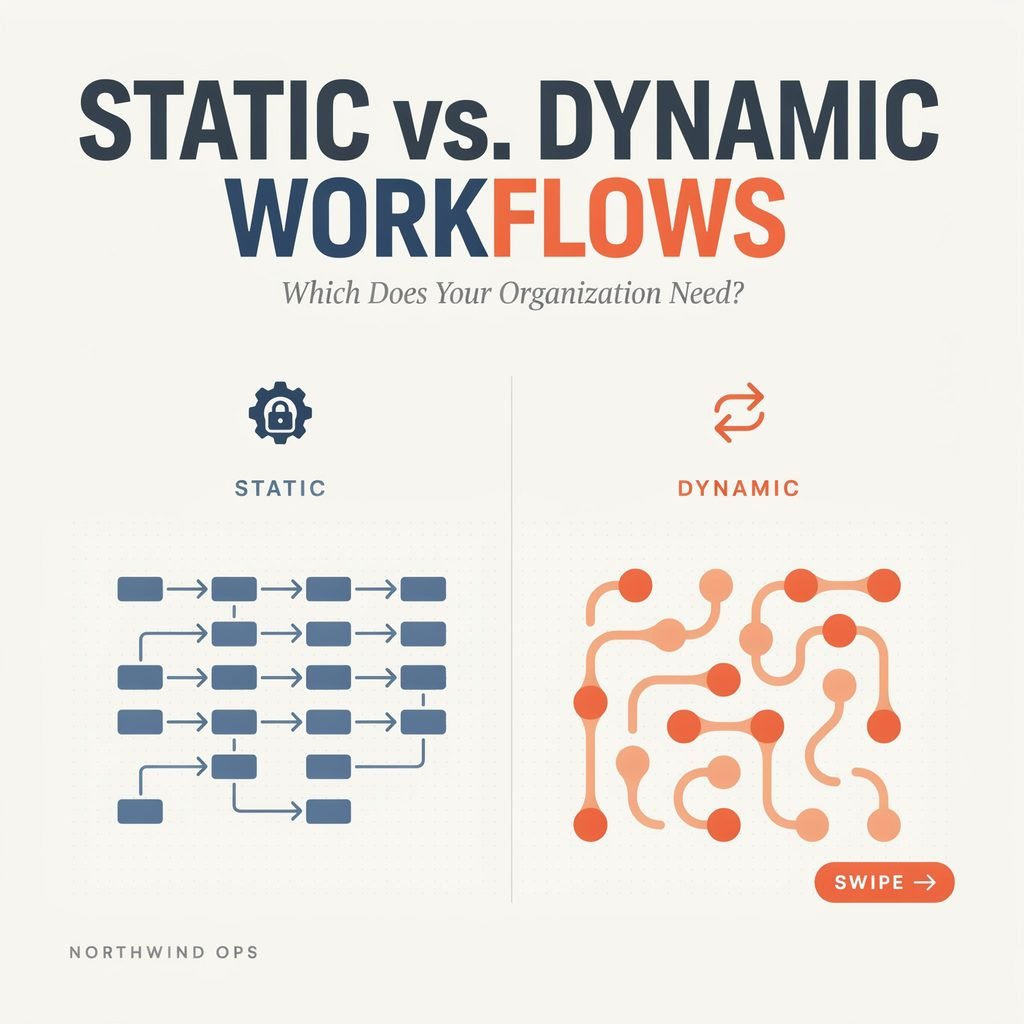
What Is a Static Workflow?
A static workflow—sometimes called a fixed workflow or sequential workflow—is a predefined, linear sequence of steps that executes the same way every single time, regardless of who initiates it or when it runs. Think of it as a checklist that the system enforces automatically.
Key Characteristics
- Fixed path and order. Step A leads to Step B leads to Step C. No branching, no skipping, no rerouting.
- Simple rule-based logic. The most complexity you’ll see is a basic “if-this-then-that” gate—usually a single approval threshold.
- Low design complexity. You can sketch a static workflow on a whiteboard in five minutes, which makes it easy to document, train on, and audit.
Real-World Examples
- Employee leave request approval. An employee submits a request → their direct manager approves or denies → HR logs the decision → payroll is notified. Same path, every time.
- Monthly invoice generation and dispatch. The system pulls billing data on the 1st, generates the invoice, routes it through a single finance review, and emails it to the client. No variation.
- Standard system backup routine. A nightly job backs up databases, verifies integrity, and logs results. If verification fails, an alert fires. That’s it.
Strengths
Static workflows deliver predictability and consistency, which is exactly what compliance-heavy, repeatable processes demand. They’re straightforward to govern, easy to explain to auditors, and simple to replicate using workflow templates across teams or locations. For approval workflows that follow a single chain of command, static design is hard to beat.
Limitations
The fragility shows up the moment an exception arrives. A high-value order that needs extra sign-off, a VIP customer who requires a different SLA, a regulatory flag that demands a compliance review—none of these fit neatly into a fixed sequence. Handling them requires manual workarounds, parallel email chains, or a full reconfiguration of the workflow. And when business rules change—new thresholds, additional approvers, updated compliance requirements—every static workflow touching that rule must be manually updated.
What Is a Dynamic Workflow?
A dynamic workflow—also called an adaptive workflow—is a process that can change its path, logic, or even its steps at runtime based on incoming data, conditions, or events. Rather than following one rigid track, it evaluates inputs and decides what to do next.
How It Works
- Conditional branching and decision nodes. At defined points, the workflow asks a question—Is the order above $10,000? Is the customer in a regulated industry?—and routes accordingly.
- Loops and parallel paths. Tasks can repeat until a condition is met, or multiple branches can run simultaneously before converging.
- Real-time data integration. Dynamic workflows pull live information from APIs, databases, CRMs, or inventory systems to inform decisions. Increasingly, they incorporate AI workflows and LLM-based agents that interpret unstructured inputs like emails or support tickets.
Vivid Examples
- Customer support triage. A ticket arrives. The system scans for keywords, checks the customer’s tier and SLA, and reviews ticket history. A critical issue from an enterprise client skips the standard queue and lands directly with a senior agent. A routine question enters an automated response flow. The path is determined in real time.
- E-commerce fulfillment. An order comes in. The workflow checks inventory levels across three warehouses, compares shipping costs, verifies delivery promises, and selects the optimal fulfillment location and carrier. If stock is unavailable, it triggers a backorder path with a customer notification. No two orders necessarily follow the same route.
- Lead qualification. A new lead enters the CRM. A scoring model evaluates firmographics, engagement history, and intent signals. High-scoring leads bypass the nurturing sequence and are routed immediately to an account executive. Lower-scoring leads enter a drip campaign. The workflow routing adapts to each lead’s profile.
Benefits
Dynamic workflows drive process efficiency by automating decisions that would otherwise sit in someone’s inbox. They improve accuracy through data-driven logic, scale gracefully under fluctuating volumes, and give organizations genuine operational agility—the ability to respond to market changes without rebuilding processes from scratch. Exception handling in workflows becomes a designed feature rather than an afterthought.
Trade-Offs
The workflow flexibility comes at a cost. Dynamic workflows are more complex to design, test, and maintain. They require clearer governance, more robust monitoring, and a team that understands the underlying logic. Without those guardrails, a dynamic workflow can become a black box that no one fully understands or trusts.
Static vs. Dynamic Workflows: Side-by-Side
Understanding static vs dynamic workflows side by side makes the decision clearer. Here’s how they compare across the dimensions that matter most:
Path structure. A static workflow follows the same sequence every time. A dynamic workflow changes its path based on conditions, inputs, or events.
Best-fit processes. Static suits highly repetitive, low-variation tasks. Dynamic suits variable, exception-heavy, data-driven processes.
Design effort. Static workflows require low design effort—often a single afternoon with a workflow engine or a simple BPM tool. Dynamic workflows demand moderate to high effort, including mapping decision trees, integrating data sources, and testing edge cases.
Maintenance. Static workflows need simple, infrequent updates. Dynamic workflows require ongoing tuning, monitoring, and periodic review of decision logic.
Scalability. Static workflows scale well within a narrow, stable scope. Dynamic workflows scale across complex, changing environments with multiple variables.
Risk and governance. Static workflows are easier to audit and explain to regulators. Dynamic workflows need stronger controls, detailed logging, and clear accountability for automated decisions.
Typical tools. Static workflows are well served by basic automation, simple RPA vs workflow automation tools, and entry-level BPM software. Dynamic workflows often require advanced workflow engines, case management platforms, or low-code workflow platforms with built-in conditional logic in workflows and AI capabilities.
Neither approach is inherently superior. The right choice depends on the process, the data environment, and the organization’s maturity.
When to Choose a Static Workflow
Static workflows are the right call when predictability matters more than flexibility. Use this checklist:
Choose static when your processes are:
- Highly standardized and regulated—think compliance approvals, financial close procedures, or safety inspections.
- Performed the same way by every team, every time, with minimal variation.
- Unlikely to change frequently, or where changes are infrequent and well-documented.
Choose static when your organization:
- Is early in its workflow automation journey and needs quick wins without heavy complexity.
- Has limited resources for workflow governance and ongoing maintenance.
- Wants to establish a baseline of documented, repeatable processes before adding sophistication.
Strong static candidates include:
- Standard onboarding checklists for non-role-specific hires (create accounts, assign equipment, schedule orientation).
- Routine purchase orders below a set threshold that follow a single approval chain.
- Scheduled reporting and data exports that run identically each cycle.
A practical strategy: start with workflow templates built on static logic. They deliver fast process efficiency gains, build organizational confidence in automation, and create a foundation you can layer dynamic behavior onto later. Establish clear workflow governance from the beginning—define who owns each workflow, who can modify it, and how changes are approved—so the transition to more complex designs doesn’t create chaos.
When to Choose a Dynamic Workflow
Dynamic workflows earn their complexity when the process genuinely demands it. Use this parallel checklist:
Choose dynamic when your processes:
- Involve frequent exceptions, edge cases, or conditional paths.
- Depend on real-time data such as inventory levels, pricing, risk scores, or SLA timers.
- Serve multiple customer segments, product lines, or geographies with different rules.
Choose dynamic when your organization:
- Operates in fast-changing markets where process rules shift quarterly or even monthly.
- Wants to eliminate manual decision bottlenecks that slow throughput.
- Already has decent data infrastructure, defined process ownership, and the bandwidth for ongoing monitoring.
Strong dynamic candidates include:
- Insurance claims processing, where the path changes based on claim type, amount, and fraud risk score.
- IT and DevOps incident management with dynamic escalation—severity, service impact, and time-of-day all influence routing.
- Content review workflows that adapt based on region, product category, or regulatory requirements.
Dynamic workflows are a cornerstone of operational agility and scalable workflows. They support digital transformation initiatives by replacing rigid, manual processes with intelligent automation that adapts as conditions change. If your competitive advantage depends on speed and accuracy in high-variability processes, dynamic design isn’t optional—it’s essential.
Hybrid Approach: Combining Static and Dynamic Workflows
Here’s the reality most mature organizations discover: the answer to “static vs dynamic workflows” isn’t one or the other. It’s both, applied deliberately.
The most effective operations teams design a portfolio of workflows:
- Core, stable processes get static templates. Think standard data capture, documentation steps, and routine notifications.
- Customer-facing, high-impact, or exception-prone processes get dynamic flows with branching logic, real-time data checks, and intelligent routing.
Often, a single end-to-end process contains both. Consider a vendor onboarding workflow: the initial data collection and document checklist are static—same steps, same order, every time. But the compliance review stage is dynamic, branching based on the vendor’s risk rating, industry, and geographic location. The final approval routing adjusts based on contract value. Static structure provides consistency; dynamic logic handles variability.
A smart evolution path looks like this:
- Start static for clarity and quick wins.
- Measure performance using workflow metrics and KPIs—cycle time, exception rate, rework rate, throughput.
- Identify pain points. Where are exceptions clustering? Where are manual overrides happening?
- Add dynamic rules at those specific points rather than redesigning the entire workflow.
Process orchestration platforms—whether they’re dedicated enterprise workflow solutions or modern low-code workflow platforms—increasingly support both models within a single environment. That means you don’t need separate tools for your static and dynamic processes. Look for platforms that let you define fixed steps and conditional branches side by side, with unified monitoring and workflow optimization dashboards.
Implementation Tips & Common Pitfalls
Whether you’re deploying your first static approval chain or architecting a dynamic case-management system, these practical guidelines will save you from costly missteps.
Start with process mapping. Before touching any tool, document the current state: every step, decision point, owner, system, and handoff. You can’t automate what you haven’t clarified. (For a deeper walkthrough, see our guide on [how to map business processes].)
Define clear ownership. Assign a process owner for each workflow. This person designs, approves changes, monitors performance, and is accountable when something breaks. Without ownership, workflows drift and no one notices until a critical failure.
Build in monitoring from day one. Track bottlenecks, failure rates, and exception volumes. Dashboards showing cycle time, task-level delays, and rework rates should be standard, not an afterthought.
Avoid these common pitfalls:
- Over-automating broken processes. If the underlying process is unclear or inefficient, automating it just makes the dysfunction faster. Fix the process first. (See [workflow automation best practices] for guidance.)
- Making dynamic workflows too complex without governance. Every branch, loop, and integration point adds risk. Keep decision logic documented and reviewable.
- Ignoring change management. New workflows change how people work. Invest in training, communication, and a feedback loop so users adopt the system rather than route around it.
Plan for integration. Your workflows will need to connect to CRM, ERP, helpdesk, and data systems. Confirm that your chosen platform supports the necessary APIs and provides audit trails for compliance-sensitive processes. When evaluating options, our guide on [choosing a BPM platform] covers the key criteria for enterprise workflow solutions.
Future Trends: AI, Agents, and Adaptive Workflows
The line between static and dynamic is already blurring, and AI workflows are accelerating that shift.
LLM-based agents are making dynamic workflows dramatically more capable. Instead of relying solely on structured data—order values, status codes, numerical scores—these agents can interpret unstructured inputs: the tone of a customer email, the specifics of a support ticket, the content of a legal document. They summarize, classify, and route work in ways that previously required human judgment.
This feeds into the broader rise of intelligent automation, which blends RPA, workflow engines, and AI into unified orchestration layers. A single process might use an RPA bot to extract data from a PDF, a workflow engine to route approvals, and an AI agent to assess risk and recommend next steps—all without a human touching the task.
What does this mean for your organization? More processes become candidates for dynamic treatment. Tasks that once required a person to read, decide, and route can now be partially or fully automated. But it also raises the stakes for oversight. Organizations will need stronger human-in-the-loop controls, clear ethics guidelines for AI-driven decisions, and robust logging to maintain trust and compliance.
Digital transformation strategies that ignore these capabilities risk falling behind, but those that adopt them recklessly risk new failure modes. The organizations that win will treat AI-enhanced workflows as powerful tools that still require thoughtful workflow design and governance.
Conclusion & Decision Framework
The debate over static vs dynamic workflows resolves into a straightforward principle: use static design for predictability and dynamic design for adaptability. Most organizations need both, applied to the right processes with intention.
Here’s your decision framework:
- Highly repetitive, regulated, stable process? Start with a static workflow. Get it documented, automated, and governed.
- Exception-heavy, data-driven, business-critical process? Design a dynamic workflow with conditional logic, real-time inputs, and clear escalation paths.
- Unsure? Pilot a static version, measure performance for 30–60 days, and evolve toward dynamic where the data shows pain.
Your next step is concrete. Audit your top five to ten processes. Label each one as a static candidate, a dynamic candidate, or a hybrid. Then pick the single highest-impact workflow and commit to redesigning it within the next 90 days.
That one focused effort will teach you more about workflow automation, business process management (BPM), and your organization’s true needs than any amount of research. And it will move you meaningfully closer to the operational agility your competitors are already chasing.
Start with the process. The right workflow design will follow.