
Imagine a typical Tuesday morning at a growing SMB. Your finance team is buried under a mountain of supplier invoices, HR is manually chasing down onboarding documents, and customer support is copy-pasting the same answers into dozens of tickets. Everyone is working incredibly hard, but the business is barely keeping its head above water. The core question for leadership isn’t whether the team is working hard enough, but rather: How do manual processes really compare to automated workflows on cost and time?
In today’s landscape, business process automation is no longer a futuristic luxury; it is a fundamental lever for operational efficiency. But separating hype from reality requires looking at hard data. This guide cuts through the noise to compare the true cost of manual work against the tangible benefits of automated workflows. We will explore real numbers, hidden operational costs, 2026 ROI benchmarks, and a practical decision framework.
First, let’s define our terms. Manual processes rely entirely on human intervention to execute repetitive steps, such as typing data from a PDF into a spreadsheet or manually updating a CRM. Automated workflows use software—ranging from rule-based Robotic Process Automation (RPA) to AI-driven integrations—to trigger, route, and execute tasks with minimal human oversight. Understanding the time savings from automation and the true cost of manual work is the first step toward scaling your business profitably.
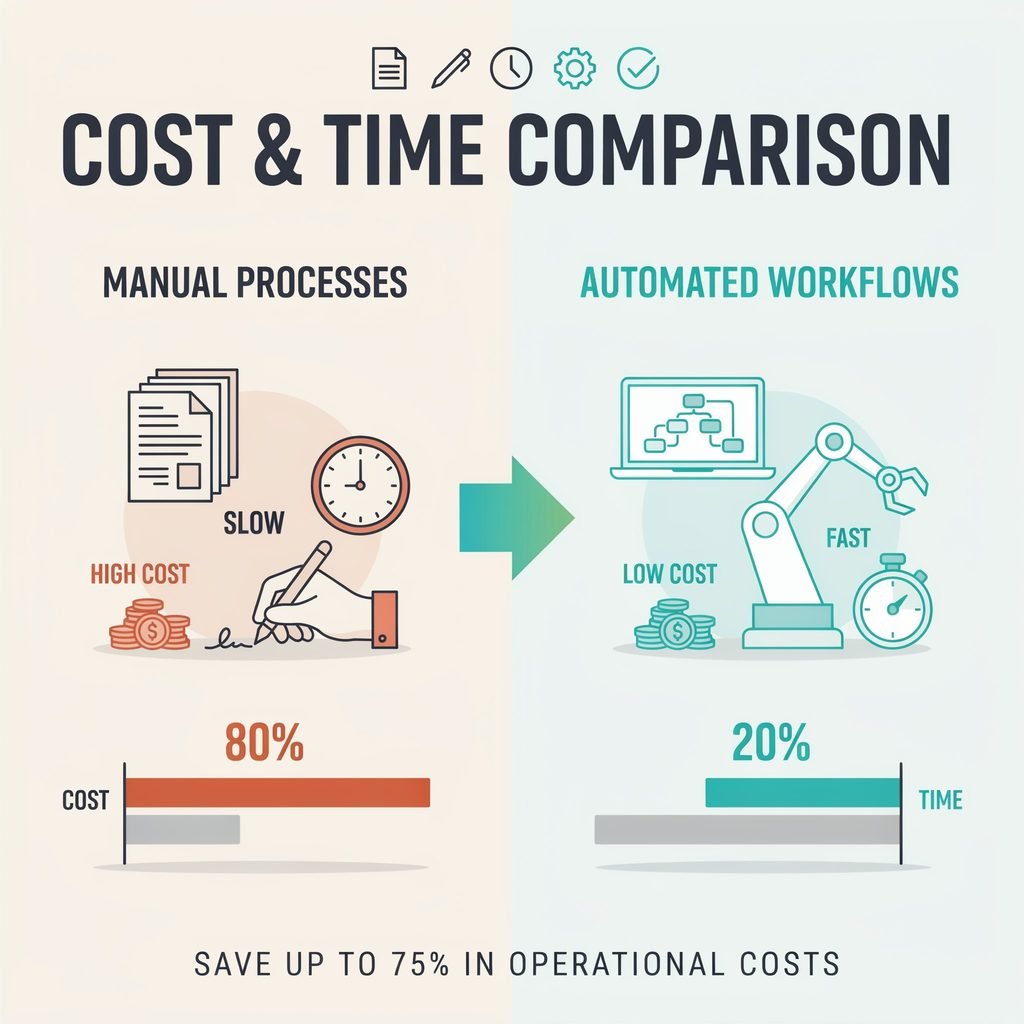
The Real Cost of Manual Work
It is easy to calculate the visible cost of manual labor: multiply an employee’s salary by the hours they work. However, the cost of manual processes extends far beyond base pay. To truly understand the financial impact on your bottom line, you must break down the hidden costs of manual work into four distinct categories.
Direct Labor Cost: This is the fully loaded hourly cost of an employee (salary + benefits + taxes + overhead) multiplied by the time spent on repetitive tasks. In many SMB environments, employees lose 10–15 hours per week on repetitive manual work. When highly paid operations managers or accountants spend a quarter of their week doing basic data entry, the labor cost per transaction skyrockets.
Error Cost: Human fatigue inevitably leads to mistakes. The error rate manual vs automated is stark. A single misplaced decimal in a financial reconciliation or an incorrect shipping address can result in costly rework, customer refunds, compliance penalties, and severe reputation damage.
Delay Cost: Manual workflows are inherently slow. For instance, manual invoice processing takes 70–85% more time than automated alternatives. This operational drag leads to missed Service Level Agreements (SLAs), delayed vendor payments (and lost early-payment discounts), and slower customer response times.
Opportunity Cost: Perhaps the most insidious hidden cost is productivity loss. When skilled employees are stuck on low-value tasks, they are not analyzing trends, closing deals, or strategizing for growth.
Recent 2025–2026 data highlights this disparity sharply. Manual document processing costs businesses an average of $2.80–$4.50 per document. When comparing the cost per transaction manual vs automated, AI-driven automation drops that cost to a mere $0.04–$0.18 per document. When you multiply a $4.00 manual processing cost by thousands of documents a month, the financial bleed becomes undeniable.
How Automated Workflows Reduce Time and Cost
If manual work is a leaky bucket, automated workflows are the sealant. Broadly defined, automated workflows encompass rule-based RPA, intelligent AI-driven workflows, and integrated SaaS automations that connect your disparate business apps. They systematically reduce friction across several key dimensions.
Execution Time: Tasks that take a human 5–10 minutes to complete—such as verifying a customer’s identity, cross-referencing a PO number, or generating a weekly report—can be executed by an automated workflow in 30 seconds to 2 minutes. This massive time saved by automation frees up capacity instantly.
Cost Per Transaction: As noted earlier, the cost per automated transaction is a fraction of manual labor. Whether it is employee onboarding, bank reconciliation, or inventory reporting, software scales without requiring proportional increases in payroll.
Error Reduction: Software doesn’t get tired, distracted, or rushed. Businesses implementing workflow automation typically see a 40–75% error reduction in processes like invoice processing, claims adjudication, and financial reconciliation. By eliminating human typo-induced bottlenecks, companies save thousands in rework.
Cycle Time Improvement: Speed is a competitive advantage. Automated customer-facing workflows can yield a 74% reduction in response time. Faster approvals and quicker issue resolution directly translate to higher customer satisfaction and retention.
Looking at the 2026 landscape, workflow automation ROI is highly predictable when applied correctly. Well-implemented automation frequently returns 150–400% ROI in year one. The payback period automation metrics are equally encouraging: while enterprise-wide digital transformations might take 12–24 months to mature, focused workflow automations boast a median 3–6 month payback. For an SMB looking to streamline operations without adding headcount, these RPA ROI 2026 benchmarks prove that the technology pays for itself rapidly.
Side-by-Side: Manual vs. Automated
To visualize the operational shift, it helps to look at a direct manual vs automated comparison. This side-by-side breakdown highlights why process selection for automation is critical—you don’t automate everything, you automate the right things.
| Dimension | Manual Processes | Automated Workflows |
|---|---|---|
| Time per task | 5–10 minutes (e.g., manual data entry, basic onboarding) | 30 seconds–2 minutes (automated data parsing, API routing) |
| Cost per 1,000 tasks | High labor cost (e.g., $1,500–$3,000 in fully loaded wages) | Low software + oversight cost (e.g., $50–$200 in compute/SaaS fees) |
| Error rate | Higher; requires time-consuming human QA and rework | 40–75% lower error rates; exceptions flagged for human review |
| Scalability | Limited by headcount, training time, and burnout | Scales instantly with volume; marginal cost per extra transaction is near zero |
| Payback period | N/A (ongoing operational expense) | Typically 3–12 months for focused, high-volume workflows |
| Best use cases | Low-volume, highly variable, empathy-driven, or complex judgment tasks | High-volume, repeatable, rule-based, and structured data processes |
This comparison reinforces a vital rule of automation vs manual labor: automation is not an “all or nothing” mandate. The limitations of automation become apparent when dealing with unstructured, highly nuanced scenarios. Manual work still holds immense value for complex problem-solving, relationship-building, and strategic, creative tasks. The goal of business process automation is not to replace human ingenuity, but to remove the robotic tasks from human workers so they can focus on high-impact initiatives. Knowing when to automate means recognizing where human judgment is required and where software is superior.
ROI & Payback: What the 2025–2026 Data Shows
To move beyond anecdotal evidence, we must look at the hard 2025–2026 data surrounding AI automation ROI and RPA ROI statistics. Across industries, the numbers validate the shift toward automated operations.
For top-performing organizations, RPA and workflow automation are delivering 250–380% ROI, with the average enterprise hovering around a highly respectable 250% ROI. When looking specifically at AI automation projects, recent benchmarks show a median 300–330% ROI over a three-year period, with an impressive 84% of companies reporting positive ROI overall.
For SMBs, the data is equally compelling. First-year SMB automation ROI averages around 171%, and 74% of SMB executives report seeing a positive return within the first twelve months. Furthermore, the median time-to-ROI across multiple deployments sits at just 4.2 months.
But how do you calculate these numbers for your own business? The automation ROI calculation doesn’t have to be complex. Use this straightforward formula:
ROI = [(Annual Net Benefit − Total Cost) / Total Cost] × 100
Where:
- Annual Net Benefit = (Hours saved × Fully loaded hourly rate) + Error-cost savings + Delay-cost savings − Ongoing automation costs (licenses, maintenance).
- Total Cost = Upfront implementation + Software licenses + Training + Integration maintenance in year one.
A Practical Example:
Imagine your accounts payable team spends 20 hours a week on manual invoicing. The fully loaded cost of their time is $30/hour.
- Current Manual Cost: 20 hours × $30 × 52 weeks = $31,200 annually (excluding error costs).
- Automated Scenario: You implement an automated invoice processing tool that reduces manual touchpoints to 4 hours a week (saving 16 hours/week) and cuts data-entry errors by 60%, saving an estimated $5,000 annually in avoided penalties and rework.
- Annual Net Benefit: (16 hours × $30 × 52 weeks) + $5,000 = $29,960 saved.
- Total Cost: Let’s say the software, implementation, and training cost $10,000 in Year 1.
- ROI: [($29,960 − $10,000) / $10,000] × 100 = 199.6% ROI in Year 1.
With a workflow automation payback period of just over 4 months in this scenario, the financial case for upgrading your operations is crystal clear.
Hidden Costs & Risks on Both Sides
While the benefits of streamlining operations are vast, a mature operational strategy requires looking at both sides of the ledger. There are hidden costs of manual work and very real risks of automation that leaders must navigate.
The Hidden Costs of Staying Manual:
Maintaining the status quo is not a “zero-cost” decision. Manual processes breed employee burnout and turnover, as top talent rarely wants to spend their days copy-pasting data. High turnover brings massive recruitment and training costs. Additionally, manual work introduces severe compliance risk; inconsistent, undocumented human processes are a nightmare for audits. Finally, there is the cost of slower scaling. If your transaction volume doubles, a manual process requires you to double your headcount, severely eating into your margins.
The Hidden Costs and Risks of Automation:
Conversely, automation is not a magic button. The risks of automation include significant upfront implementation time and the heavy lift of change management automation. If your underlying process is broken, automating it simply allows you to make mistakes faster—a classic case of “automating a mess.” Process redesign before automation is crucial. Furthermore, over-automation of tasks that genuinely require human empathy or nuanced judgment can alienate customers and frustrate staff. Finally, if tools aren’t chosen carefully, businesses can fall into vendor lock-in or accumulate heavy integration debt when APIs change.
Ultimately, business process automation should be viewed as a disciplined operational upgrade. It requires careful planning, robust change management, and a willingness to redesign workflows before layering technology on top of them.
Which Processes Should You Automate First?
Because automation requires an investment of time and capital, knowing which processes to automate first is critical to securing quick wins and maintaining stakeholder buy-in. To build a robust automation prioritization framework, look for processes that meet the following criteria:
- High Volume: Look for repetitive business processes repeated 100+ times per month. Volume is the primary multiplier for ROI.
- Rule-Based: The process must have clear, logic-based inputs, steps, and outputs (e.g., “If invoice is under $500 and PO matches, auto-approve”).
- High Error Impact: Target areas where human mistakes are highly costly, risky, or legally sensitive.
- Bottleneck Tasks: Identify steps that consistently slow down other departments or delay revenue recognition.
- Measurable Outcomes: Choose processes where you can easily track time, cost, and quality before and after implementation.
When use cases are chosen well, 78% of AI automation projects deliver moderate to high value to the organization. High-ROI automation use cases that perfectly fit this framework include:
- Accounts Payable/Receivable: Automated invoice processing, 2-way or 3-way PO matching, and payment routing.
- Customer Onboarding: Automated KYC checks, welcome email sequences, and CRM data entry.
- Financial Reporting: Automated monthly data consolidation from disparate SaaS tools into a central dashboard.
- Support Ticket Triage: AI-driven routing of incoming customer queries to the correct department based on keywords.
- HR Operations: Automated leave approvals, benefits document collection, and payroll flagging.
By focusing on these rule-based workflows first, you guarantee a faster payback period and build internal momentum for broader digital transformation.
Practical Steps to Move from Manual to Automated
Transitioning your business doesn’t happen overnight. A successful shift from manual to automated requires a structured, iterative approach. Follow these automation implementation steps to ensure a smooth transition and measurable results:
- Map the Current Process (Workflow Mapping): Before touching any software, document exactly how the work gets done today. Identify who does what, when they do it, and what tools they use. Uncover the shadow processes and undocumented workarounds.
- Quantify Baseline Metrics: You cannot improve what you do not measure. Document the current time per task, monthly volume, baseline error rate, and fully loaded cost.
- Identify Automation Candidates: Apply the prioritization framework outlined above to select your target process.
- Start Small with a Pilot Automation Project: Do not attempt a massive, company-wide overhaul on day one. Pick one focused, high-volume workflow. Run a pilot with clear success metrics and a dedicated internal champion.
- Measure Automation ROI and Iterate: Once the pilot is live, track the time saved, cost reduced, and errors avoided. Compare these against your baseline. Once proven, scale automation gradually to adjacent processes.
By following this roadmap, teams consistently avoid the pitfalls of over-scoping and see positive ROI within 4–12 months. Starting small mitigates risk while proving the value of the technology to skeptical stakeholders.
Conclusion
The debate between manual vs automated processes is rarely a binary choice. The true question for modern business leaders is: Which tasks, at what volume, and with what expected ROI?
As the 2025–2026 data shows, the cost of manual work is staggering when you factor in errors, delays, and lost strategic capacity. Conversely, automated workflows offer a proven path to cost-effective automation, delivering 150–400% first-year ROI and a 3–12 month payback period when applied to the right use cases. A disciplined, data-driven business process automation strategy will always beat hype-driven, blanket automation.
Operational efficiency in 2026 belongs to the companies that treat their processes as products—constantly measuring, refining, and upgrading them. Don’t let your team drown in administrative drag. Take action today: pick one repetitive, high-volume process this quarter, baseline its true cost, and test an automated workflow. The math is on your side.