
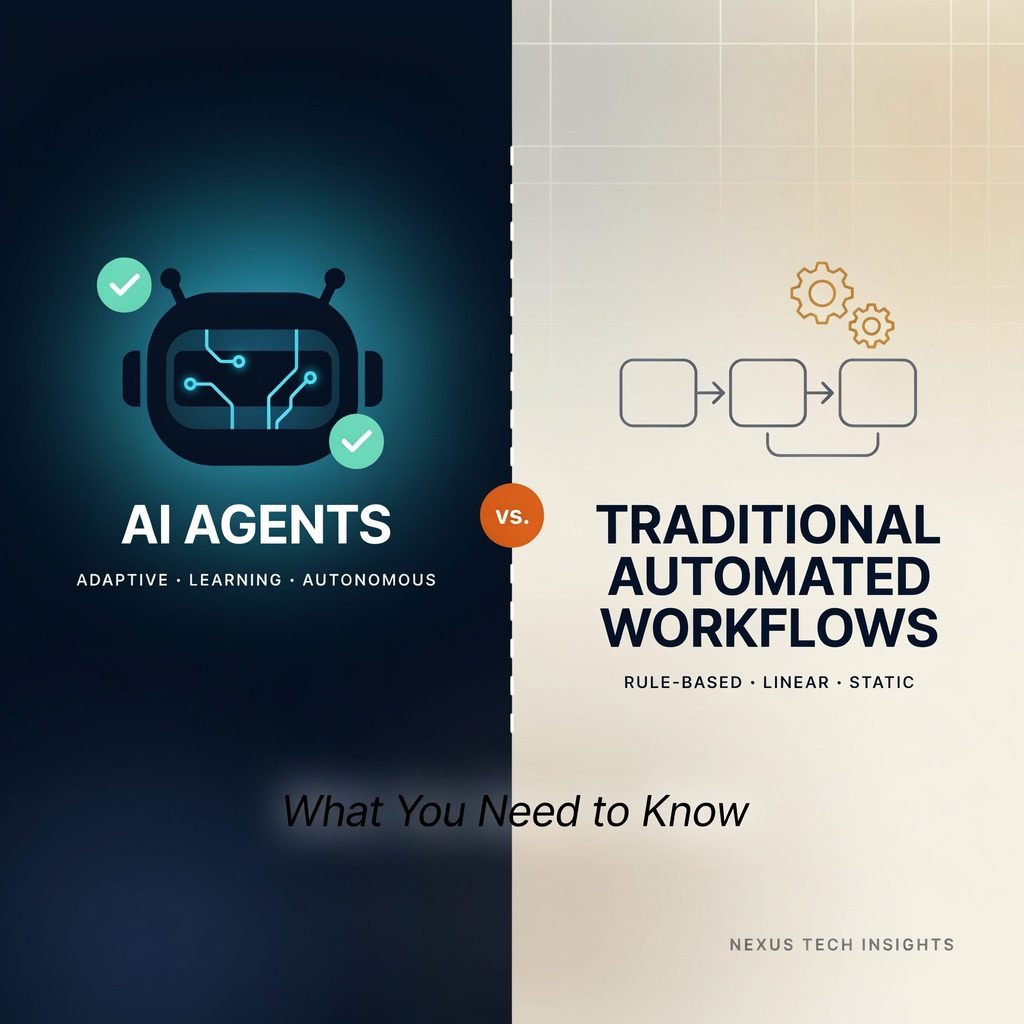
Organizations are shifting from rigid “if-this-then-that” pipelines toward goal-driven AI agents that plan, reason, and act across systems. The tension is real: traditional automation offers stability and predictability, while AI agents bring adaptability and intelligence to messy, real-world processes. Understanding the difference between AI agents and traditional automated workflows is no longer optional—it’s a strategic necessity for anyone building an intelligent automation roadmap in 2026.
This article breaks down how AI workflow automation compares with robotic process automation, iPaaS, and BPM suites. You’ll learn which approach fits which use case, how costs and risks stack up, and how to combine both in a production-grade stack. Whether you’re evaluating autonomous AI agents for the first time or scaling existing workflows, the goal here is a confident build-or-buy decision.
What Are Traditional Automated Workflows?
Traditional automated workflows are rule-based, deterministic sequences—think “if X, then Y, then Z”—implemented through robotic process automation (RPA), iPaaS connectors, BPM suites, or no-code workflow builders. They execute predefined steps against structured data: fixed schemas, validated form fields, stable APIs, or predictable UI elements.
Typical characteristics include high predictability, low ambiguity tolerance, and tight coupling to specific system interfaces. When a UI button moves or an API schema changes, the workflow breaks. Exception handling is usually limited to routing failures to a human queue.
Concrete examples:
- An RPA bot copying rows from an Excel spreadsheet into an ERP system, field by field, on a nightly schedule.
- An iPaaS flow that triggers when a new CRM lead is created, syncing the record to a marketing automation tool via API.
- A BPM workflow routing purchase orders above $10,000 through a three-level approval chain before posting to finance.
These deterministic automation patterns excel when inputs are structured, rules are stable, and every step can be documented for compliance. Their weakness emerges the moment unstructured data (free-text emails, scanned PDFs, chat logs) enters the picture, or when underlying systems change faster than the maintenance team can patch bots.
What Are AI Agents?
AI agents are goal-driven software entities powered by large language models (LLMs) or reasoning models. Unlike a chatbot that simply answers questions, an agent perceives context, plans multi-step actions, uses tools (APIs, browsers, code interpreters), and adapts when conditions shift. In short, autonomous AI agents act rather than just respond.
Core capabilities that distinguish LLM agents from traditional workflows:
- Unstructured data understanding. They read emails, invoices in varied formats, support tickets, and chat transcripts without a fixed schema.
- Reasoning and judgment. Within defined guardrails, they classify, prioritize, and decide next steps based on content rather than rigid rules.
- Dynamic tool use and function calling. They select which API to invoke, which document to retrieve, or which system to update based on the task at hand.
- Feedback adaptation. Where supported, they incorporate human corrections to improve future outputs.
Examples in practice:
- An agent that ingests vendor invoices in dozens of formats, extracts line items, validates totals against ERP records, and routes only true exceptions for human review.
- A customer support agent that triages incoming emails, searches internal knowledge bases, drafts a response, and creates a tagged ticket in the ITSM tool.
- A research agent that gathers competitor pricing from multiple websites, normalizes the data, and updates a shared pricing sheet with source citations.
These agentic workflows leverage generative AI not as a novelty, but as a practical layer for handling variability that rule-based systems cannot.
Key Differences: AI Agents vs Traditional Workflows
The table below summarizes the most decision-relevant contrasts:
| Dimension | Traditional Automated Workflows | AI Agents |
|---|---|---|
| Decision logic | Fixed rules, deterministic | Goal-driven, probabilistic, context-aware |
| Data types | Structured, schema-bound | Structured + unstructured (text, PDFs, images, chat) |
| Change & exceptions | Breaks on UI/API changes; exceptions go to humans | Adapts to many changes; auto-escalates with context |
| Setup & maintenance | Longer build per bot; high maintenance on process change | Faster prototyping via prompts/tool definitions; prompt & guardrail management needed |
| Predictability | Highly predictable, easy to audit | Flexible but requires monitoring, logging, governance |
| Cost profile | Higher upfront/license; low per-transaction | Consumption-based (tokens/API calls); lower TCO for complex, variable processes |
The shift from deterministic vs non-deterministic automation is the core architectural difference. Traditional workflows give you a repeatable script. AI agents give you a capable worker that needs objectives, boundaries, and oversight.
Governance implications follow directly: with RPA you audit the script; with agents you audit reasoning traces, tool-call logs, and output validation layers. Total cost of ownership calculations must account for these different maintenance and monitoring models.
When to Use Traditional Automated Workflows
Choose traditional workflow automation when the process is stable, fully structured, and compliance demands a predetermined audit trail.
Ideal scenarios:
- High-volume, rule-based batch jobs: nightly data syncs, statutory filings, EDI transactions.
- Processes with well-documented APIs and zero ambiguity in inputs.
- Environments under strict regulatory oversight where every step must be pre-approved and reproducible.
Examples: scheduled database-to-database syncs with stable schemas, mass form submissions with fixed fields, repetitive UI tasks in a locked-down legacy environment.
Decision checklist – choose traditional if:
- The process is 100% rule-based with no judgment calls.
- Inputs are always structured, validated, and schema-conformant.
- Underlying systems rarely change.
- Maximum predictability and auditability outweigh flexibility.
- Volume is high and per-transaction cost must stay near zero.
In these cases, RPA platforms, iPaaS tools, and BPM suites remain the most cost-effective and lowest-risk option.
When to Use AI Agents
Choose AI agents when the task involves interpretation, variability, or unstructured inputs that would require brittle workarounds in a rule-based system.
Ideal scenarios:
- Processes fed by unstructured data: emails, PDFs, tickets, chat transcripts, scanned documents.
- Workflows requiring classification, summarization, or contextual judgment.
- Environments where forms, UIs, or business rules change frequently.
- Multi-system orchestration where the next step depends on content, not just a trigger event.
Examples: invoice processing across varied vendor templates, customer support triage and response drafting, lead research and enrichment from websites and social profiles, internal knowledge agents that retrieve, summarize, and act on company documents.
Decision checklist – choose agents if:
- The task requires understanding natural language or complex documents.
- Exceptions and edge cases are frequent and costly to handle manually.
- Underlying systems or interfaces change often.
- Some output variability is acceptable if overall accuracy and throughput improve.
- You need intelligent routing across multiple tools and systems.
This is where intelligent automation and agentic workflows deliver measurable value that traditional automation simply cannot replicate.
Cost, Risk, and Governance Considerations
Cost dynamics. RPA and iPaaS typically carry annual license fees plus implementation and per-bot maintenance. AI agents operate on consumption-based pricing: token usage, API calls, and compute. For simple, high-volume, stable tasks, traditional per-transaction costs win. For complex, variable processes that would require dozens of brittle bots, AI agents often deliver lower total cost of ownership despite a higher cost per execution.
Risk profile. Traditional workflows risk breakage when systems change but produce few “surprises.” AI agents risk incorrect reasoning, hallucinated outputs, or unintended actions if guardrails are weak. Mitigation requires output validation, confidence thresholds, and scoped tool permissions.
Governance and compliance. Both approaches need logging, audit trails, and access controls. Agents add requirements: prompt versioning, reasoning-trace retention, human-in-the-loop approval for high-stakes actions, and contractual clarity on data privacy with LLM providers.
Security. Apply least-privilege tool access to agents, sandbox actions in dry-run modes before production enablement, manage credentials through a secrets vault, and enforce network boundaries. Treat agent permissions the same way you would scope a service account.
Measuring ROI for either approach should factor in maintenance cost, error-rate reduction, cycle-time improvement, and freed human capacity—not just license or token spend.
Hybrid Strategies: Combining AI Agents and Traditional Workflows
Mature automation teams rarely choose one or the other. The most effective pattern is an orchestration layer that assigns each technology its strongest role.
Reference architectures:
- Pre-process / execute / post-process. An AI agent extracts and validates unstructured inputs (e.g., reading a scanned invoice). A traditional RPA bot or iPaaS flow posts validated data to the ERP. The agent then handles any exceptions the rigid workflow flags.
- Smart routing. An AI agent classifies incoming work—tickets, emails, requests—and routes each item to the appropriate deterministic workflow, human queue, or specialist agent.
- Multi-agent coordination. One agent researches, another drafts, a third validates. A workflow engine or agent orchestration tool sequences their handoffs and enforces SLAs.
Realistic examples:
- Invoice automation: Agent extracts fields from varied vendor PDFs → RPA posts clean records to SAP → human reviews only the 5% exception queue.
- Support automation: Agent drafts responses and assigns tags → workflow tool creates tickets, applies SLA timers, and escalates per predefined rules.
This hybrid automation model preserves the auditability of traditional workflows while injecting the flexibility of AI where it matters most.
Implementation Roadmap: From Pilot to Production
- Audit existing workflows. Use process mining and task mining to map current automation by volume, variability, and data type.
- Prioritize candidates. Target high-volume, high-pain processes with partially unstructured inputs for the biggest quick wins.
- Define success metrics. Agree on time saved, error rate, cost per transaction, cycle time, and user satisfaction before building anything.
- Start with a bounded pilot. Narrow scope, explicit guardrails, a human review loop on every output, and a fixed evaluation window (e.g., 6 weeks).
- Integrate with your existing stack. Connect agents to current RPA, iPaaS, or BPM tools via APIs rather than ripping and replacing.
- Monitor, measure, iterate. Track KPIs weekly, collect failure cases, refine prompts and tool definitions, then expand scope gradually.
Pilot checklist:
- Single, well-defined process selected
- Guardrails and escalation paths documented
- Human-in-the-loop review active for all outputs
- Logging and audit trail enabled from day one
- Success/failure criteria agreed with stakeholders
- Rollback plan defined
This automation roadmap approach keeps risk contained while building organizational confidence in AI workflow automation.
Common Pitfalls and How to Avoid Them
- Treating agents as magic. Without clear goals, scoped tools, and guardrails, agents produce inconsistent or unsafe outputs. Mitigation: Define explicit task boundaries, output schemas, and escalation rules before deployment.
- Automating broken processes. If the underlying process is poorly designed, automation amplifies the dysfunction. Mitigation: Redesign or simplify the process first; automate second.
- Ignoring change management. Operations teams need training, updated SOPs, and a feedback channel. Mitigation: Involve end users in pilot design and iterate based on their input.
- Over-automating high-risk actions. Letting an agent post financial entries or delete records without approval invites costly errors. Mitigation: Require human-in-the-loop sign-off for irreversible or high-value actions.
- Underestimating monitoring needs. Prompt drift, model updates, and edge-case failures degrade performance silently. Mitigation: Invest in logging, output validation, and periodic prompt/tool reviews as part of ongoing governance.
The Future of Work: Agents, Workflows, and Human Roles
The trajectory is clear: roles shift from manually executing steps to designing objectives, guardrails, and exception-handling policies for digital workers. Humans become orchestrators and auditors of agentic workflows rather than operators of individual bots.
Emerging patterns to watch include agent marketplaces with reusable tool libraries, standardized evaluation benchmarks for agent reliability, and tighter integration between agent orchestration tools and existing enterprise automation platforms. Zapier/Make-style no-code automation will increasingly offer AI agent steps alongside traditional triggers.
What does not change is the need for human accountability. Strategy, edge-case judgment, ethical oversight, and stakeholder trust remain human responsibilities. The most effective teams in 2026 and beyond will treat AI agents as capable colleagues within a governed framework—not as black-box replacements for process thinking.
FAQs: AI Agents vs Traditional Automation
What is the main difference between AI agents and RPA?
RPA executes predefined, deterministic steps against structured interfaces. AI agents interpret context, reason about next steps, and adapt to variability, making them suited to unstructured and changing environments.
Are AI agents more expensive than traditional workflows?
Per execution, often yes—token and API costs add up. However, for complex, variable processes that would require extensive custom scripting and maintenance, AI agents frequently deliver lower total cost of ownership.
Can AI agents work with my existing RPA or iPaaS tools?
Yes. Agents can invoke RPA bots, trigger iPaaS flows, or read/write to the same APIs your current stack uses. The hybrid orchestration-layer pattern is the most common production architecture.
What types of tasks are best suited for AI agents?
Tasks involving unstructured data (emails, documents, tickets), contextual judgment, frequent exceptions, or multi-system orchestration where the next step depends on content rather than a fixed trigger.
How do AI agents handle errors and exceptions?
Well-designed agents detect low-confidence outputs, flag anomalies, and escalate to humans with full context. Guardrails, output validation, and retry logic reduce the blast radius of any single error.
Is it safe to use AI agents for sensitive business processes?
With proper governance—scoped permissions, encryption, audit logging, human-in-the-loop approvals, and vendor data-privacy agreements—agents can operate safely even in regulated environments. The key is treating agent access with the same rigor as any privileged service account.
How do I measure ROI for AI agent projects?
Track cost per transaction, error rate, cycle time, hours of human labor redirected, and customer or employee satisfaction. Compare against the baseline cost of the manual or traditional-automated process, factoring in maintenance savings over 12–24 months.