
In the modern digital economy, efficiency is no longer just about doing things faster; it is about doing them smarter. This is where building autonomous business workflows with artificial intelligence becomes a game-changer. For startup founders, operations managers, and SaaS teams, the transition from manual processes to intelligent automation is the key to scaling without proportionally increasing headcount. But what exactly are these workflows, and how can you implement them safely and effectively?
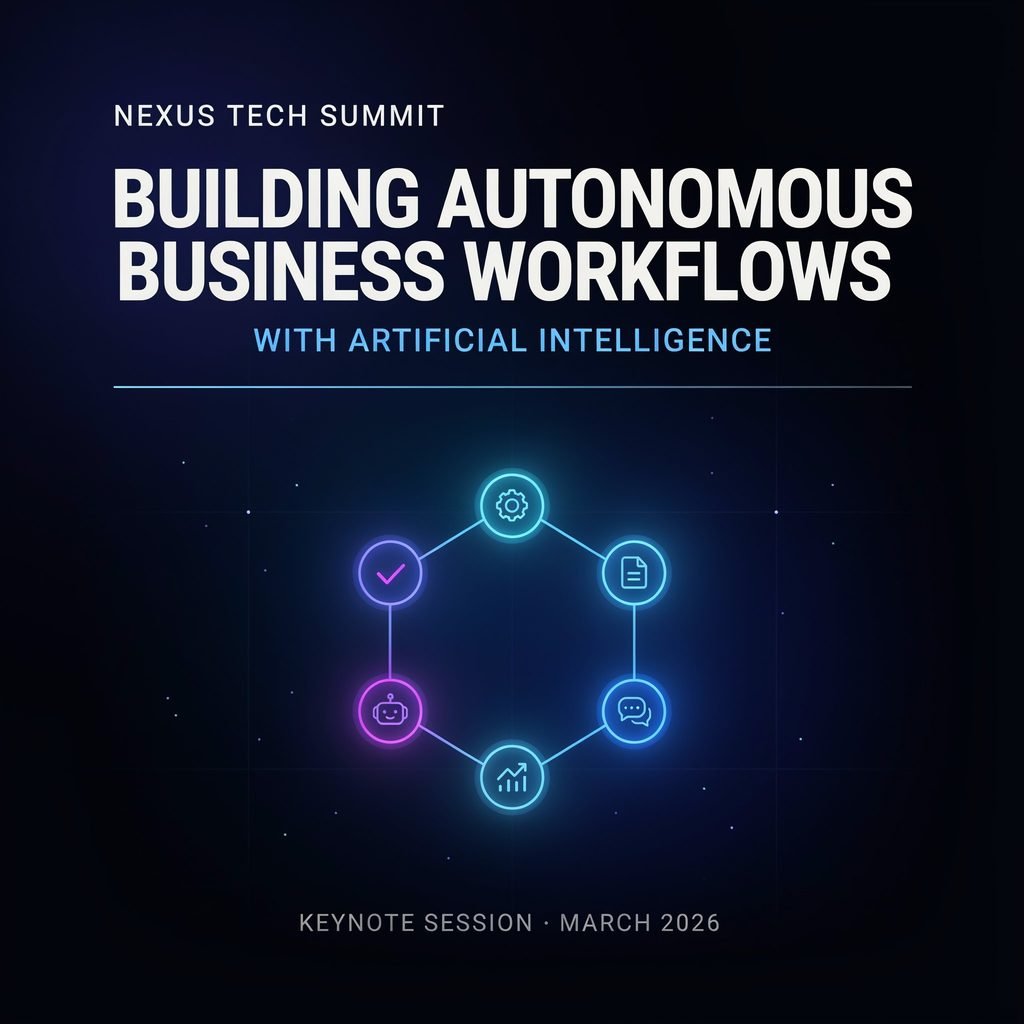
What Are Autonomous Business Workflows?
In simple terms, an autonomous business workflow is a sequence of interconnected tasks executed by AI agents for business process automation that can interpret high-level goals, gather contextual data, make bounded decisions, utilize connected software tools, and complete complex, multi-step tasks with minimal human intervention. Unlike older systems that blindly follow “if-then” rules, these AI agents understand the intent behind a request and dynamically adapt their execution path based on real-time data.
It is crucial to clarify that autonomy does not mean entirely removing humans from the loop. True autonomous business workflows operate within strict guardrails. High-risk decisions, financial approvals, legal compliance checks, and complex exceptions remain firmly human-controlled. The AI handles the heavy lifting of data processing, routing, and routine decision-making, freeing up human workers to focus on strategic, high-value activities.
To understand the leap forward, consider the evolution of automation:
- Manual Workflows: Humans perform every step, leading to bottlenecks, fatigue, and high error rates.
- Rule-Based Automation: Basic scripts trigger predefined actions but fail when conditions change slightly or data is unstructured.
- Robotic Process Automation (RPA): Bots mimic human clicks to handle structured, repetitive data entry but cannot “think,” read unstructured text, or handle exceptions gracefully.
- Autonomous AI Workflows: AI agents process structured and unstructured data, reason through complex scenarios, orchestrate multiple software tools, and dynamically resolve issues.
How AI Workflow Automation Works
To successfully implement AI workflow automation, you must understand the core components that power these intelligent systems. A robust, end-to-end workflow automation architecture typically consists of the following layers:
- Event Triggers: Workflows begin when a specific event occurs, such as a new lead submitting a form, an inventory threshold dropping, or an invoice arriving in an email inbox.
- Data Inputs and Connected Systems: The AI agent pulls relevant data from your CRM, ERP, data warehouses, or external databases to establish context.
- AI Reasoning and Decision Layer: Powered by Large Language Models (LLMs) and machine learning, this layer analyzes unstructured data (like email text or PDF attachments), determines the user’s intent, and decides the next logical step.
- Business Rules and Guardrails: Hardcoded logic ensures the AI operates within legal, financial, and operational boundaries (e.g., “Never approve a refund over $500 without a manager”).
- Workflow Orchestration: This is the engine that sequences tasks, manages state, and ensures that if one step fails, the system retries or alerts a human.
- API and Software Integrations: The agent executes actions via workflow integration with APIs, updating databases, sending emails, or provisioning software licenses.
- Human-in-the-Loop Checkpoints: Critical milestones require human review. The AI pauses the workflow, sends a summary to a human supervisor, and waits for approval before proceeding.
- Monitoring, Logging, and Audit Trails: Every action, decision, and API call is logged for compliance, debugging, and data-driven workflow optimization.
Practical Example: Imagine an AI workflow processing an inbound customer support request. The AI agent reads the email (data input), uses natural language processing to categorize the issue as a “Billing Dispute” (AI reasoning), and retrieves the customer’s purchase history from the CRM (connected systems). It drafts a polite, empathetic response offering a 10% discount (action execution). However, because the customer is requesting a full refund of $1,200, the workflow hits a business rule guardrail. It routes the ticket to a human billing specialist with a summary of the AI’s findings (human-in-the-loop AI), and updates the CRM status to “Pending Human Approval” (workflow orchestration).
Autonomous AI Workflows vs. Traditional Automation
While intelligent process automation and traditional RPA both aim to save time, their underlying mechanics are vastly different. Traditional automation is rigid; AI workflow automation is fluid.
| Feature | Traditional Automation | Autonomous AI Workflow |
|---|---|---|
| Trigger | Predefined rules (e.g., “If email subject contains ‘Invoice'”) | Goals, events, context (e.g., “Process incoming vendor payments”) |
| Decision-making | Fixed logic and decision trees | AI-assisted reasoning and semantic understanding |
| Data handling | Structured data (rows and columns) | Structured and unstructured data (emails, PDFs, voice) |
| Adaptability | Low (breaks if UI changes or data is messy) | Moderate to high (adapts to variations in inputs) |
| Exception handling | Manual escalation or workflow failure | Intelligent routing and dynamic problem-solving |
| Human role | Operator fixing broken bots | Supervisor reviewing complex edge cases |
| Best use case | Highly repetitive, structured tasks | Complex, multi-system, unstructured workflows |
AI workflow automation extends far beyond basic task execution. By interpreting intent, reasoning across disparate systems, orchestrating execution, and adapting to changing conditions, AI agents transform rigid pipelines into dynamic, self-healing business processes. This shift enables AI-driven decision-making at scale, allowing businesses to react to market changes in real time.
Key Business Functions That Benefit from AI Workflows
Business process automation with AI is not limited to a single department. It creates value across the entire organizational matrix by eliminating friction and accelerating outcomes.
Customer Support and Service Operations
AI shines in customer service by acting as the first line of defense. Workflows can handle AI ticket triage, instantly reading incoming messages and routing them to the correct department. They generate automated responses for common queries, perform customer intent classification to prioritize VIP clients, and execute complex escalation workflows for angry customers. After resolution, the AI can perform post-resolution sentiment analysis to gauge customer satisfaction and automatically log all interactions for seamless CRM updates.
Sales and Marketing Automation
In revenue-generating teams, speed is everything. AI workflows automate lead qualification by scraping prospect data from LinkedIn and cross-referencing it with your CRM. They perform dynamic lead scoring based on real-time website interactions. Marketing teams use AI for personalized outreach at scale, content repurposing (turning a webinar into a blog post, tweets, and an email newsletter), and automated campaign reporting. Sales reps benefit from automated sales pipeline updates, ensuring the CRM is always accurate without manual data entry.
Finance and Accounting
Finance departments deal with massive amounts of unstructured documents. AI workflows excel at invoice processing, extracting line-item data from PDFs and matching them against purchase orders. They streamline expense approvals, automate payment reconciliation across bank statements, and generate real-time financial reporting. Furthermore, AI agents can continuously monitor transaction patterns for fraud detection and ensure proper approval routing based on dynamic corporate spending policies.
Human Resources and Employee Onboarding
HR teams can drastically reduce administrative overhead. AI assists with candidate screening support by summarizing resumes and matching skills to job descriptions. It automates employee onboarding checklists, triggering IT access provisioning requests, sending welcome emails, and assigning training modules. Internally, AI-powered chatbots handle policy question answering (e.g., “What is our remote work policy?”) and manage HR ticket automation for benefits inquiries or payroll discrepancies.
Operations, Procurement, and Supply Chain
For physical product businesses, AI-powered operations are critical. Workflows manage purchase-order workflows, automatically drafting orders when inventory dips. They handle vendor communication to confirm shipping dates, send real-time inventory alerts, and manage procurement approvals. AI agents also perform supplier risk monitoring by scanning news and financial reports for vendor instability, ensuring smooth order fulfillment coordination across global supply chains.
How to Build an Autonomous Business Workflow Step by Step
Designing an AI implementation strategy requires a methodical approach. Follow this practical framework to build reliable enterprise AI automation:
- Identify a high-value workflow: Do not automate broken processes. Choose a repetitive, rules-rich, data-heavy process with measurable outcomes, such as invoice processing or lead routing.
- Map the current process: Document every input, system handoff, delay, exception, and approval point. You cannot automate what you do not understand.
- Define the desired outcome: State the specific goal (e.g., “Reduce ticket resolution time by 30%”), the success metric, and the strict boundaries of AI autonomy.
- Select the right AI workflow tools: Choose your tech stack. Consider orchestration platforms, LLM providers, API connectors, and intelligent automation tools that integrate with your existing CRM/ERP.
- Connect data sources securely: Use secure APIs and data warehouses. Ensure governed access controls so the AI only sees the data it needs to perform its task.
- Design the workflow logic: Combine probabilistic AI reasoning with deterministic business rules. Use validation checks to ensure data integrity before it enters your core systems.
- Add human-in-the-loop checkpoints: Mandate human approval for financial transactions, legal decisions, sensitive customer actions, and high-risk exceptions.
- Test with a controlled pilot: Start small. Run the AI workflow in “shadow mode” where it makes decisions but doesn’t execute them, allowing you to audit its accuracy against human performance.
- Monitor performance: Track completion rate, accuracy, cycle time, exception rate, cost savings, and customer satisfaction.
- Scale responsibly: Once the pilot proves reliable and governed, expand to adjacent workflows.
Essential Requirements for Safe Autonomous Workflows
Deploying Agentic AI workflows requires a robust foundation. Without it, you risk data leaks, compliance violations, and operational chaos. Essential requirements include:
- Data Quality and Interoperability: AI is only as good as its context. Data must be clean, centralized, and easily accessible via APIs.
- Workflow Architecture and Enterprise Orchestration: A centralized engine must manage the state of long-running workflows, ensuring they survive system restarts and API timeouts.
- Access Controls and Least-Privilege Permissions: AI agents should operate with the minimum necessary permissions. An AI drafting an email should not have database deletion rights.
- AI Governance and Compliance: Establish clear policies on what data the AI can process (especially PII and PHI) and ensure adherence to regulations like GDPR or HIPAA.
- Audit Logs and Traceability: Every AI “thought” and action must be logged. If an AI makes a bad decision, you must be able to trace exactly why it happened.
- Security and Privacy Safeguards: Implement data masking, encryption, and secure API gateways to prevent prompt injection attacks or data exfiltration.
- Exception Handling: The system must gracefully degrade. If an API fails, the workflow should alert a human rather than silently dropping the task.
- Change Management and Employee Training: Technology is only half the battle. Employees must be trained to trust, supervise, and collaborate with AI agents.
- Clear Accountability: Even if an AI executes a task, a human “process owner” must ultimately be accountable for the outcome.
Best Practices for AI-Driven Workflow Implementation
To ensure your autonomous enterprise initiative succeeds, adhere to these industry best practices:
- Start narrow before scaling: Master one workflow before attempting to connect your entire ERP to your CRM.
- Automate outcomes, not just tasks: Don’t just automate sending an email; automate the resolution of the customer’s issue.
- Use structured workflows with clear ownership: Every automated pipeline needs a human owner who monitors its health and updates its logic as business rules change.
- Keep humans involved in high-risk decisions: Never let AI auto-approve massive wire transfers or legally binding contracts without human oversight.
- Avoid giving AI unrestricted access: Use scoped API tokens and sandbox environments during development.
- Build fallback paths: If the AI’s confidence score drops below a certain threshold, it should automatically route the task to a human queue.
- Use real-time monitoring: Set up alerts for sudden spikes in error rates or processing times.
- Continuously evaluate AI output quality: Regularly sample AI-generated outputs (like customer emails or financial summaries) to check for hallucinations or tone drift.
- Document everything: Maintain strict documentation of workflow logic, permissions, and business rules for compliance and onboarding.
- Measure both efficiency and business impact: Look beyond time saved to actual revenue generated or customer satisfaction improved.
Common Challenges and How to Solve Them
Building end-to-end workflow automation is not without friction. Here is how to navigate common obstacles:
- Poor Data Quality: Solution: Implement data cleansing routines and use AI agents specifically designed to validate and standardize data before it enters your core systems.
- Fragmented Systems and APIs: Solution: Use an API gateway or an integration platform as a service (iPaaS) to act as a universal translator between legacy systems and modern AI tools.
- Lack of Process Documentation: Solution: Conduct process-mining workshops. Record employees doing the task manually to map the hidden steps and edge cases.
- Over-Automation: Solution: Automate the mundane, but preserve the human touch for complex, empathetic customer interactions.
- AI Hallucinations: Solution: Use Retrieval-Augmented Generation (RAG) to ground the AI in your proprietary, verified company data, and enforce strict output formatting.
- Compliance Risks: Solution: Involve your legal and IT security teams during the design phase, not after deployment.
- Employee Resistance: Solution: Frame AI as a “copilot” that removes drudgery, rather than a replacement. Upskill employees to become AI workflow supervisors.
- Difficulty Measuring ROI: Solution: Establish baseline metrics (time per task, error rate) before turning the AI on to ensure accurate comparison.
- Security Gaps: Solution: Enforce strict Identity and Access Management (IAM) and rotate API keys regularly.
How to Measure the ROI of AI Workflow Automation
To justify the investment in hyperautomation, you must track the ROI of AI workflow automation rigorously. Key metrics include:
- Time saved per workflow and overall cycle-time reduction.
- Cost per processed task compared to manual execution.
- First-response time (crucial for sales and support).
- Error or exception rate (measuring AI accuracy).
- Automation completion rate (how often the AI finishes without human help).
- Employee productivity and capacity for strategic work.
- Customer satisfaction (CSAT) scores.
- Revenue influenced (e.g., faster lead routing leading to closed deals).
- Compliance incident rate and total cost of ownership (including API and LLM token costs).
- Payback period (how many months until the system pays for itself).
Use this simple formula to calculate your return:
[
\text{AI Workflow ROI} = \frac{\text{Total Financial Benefit (Labor Saved + Revenue Gained)} – \text{Total Implementation and Operating Cost}}{\text{Total Implementation and Operating Cost}} \times 100
]
Future of Autonomous Business Workflows
The ultimate trajectory of this technology is the autonomous enterprise. In this near-future paradigm, specialized AI agents will seamlessly execute complex, cross-departmental workflows across finance, supply chain, HR, and customer experience, all operating under strict enterprise governance.
Key trends shaping this future include:
- Multi-Agent Orchestration: Instead of one monolithic AI, swarms of specialized agents (e.g., a “researcher” agent, a “writer” agent, and a “compliance” agent) will collaborate to solve complex problems.
- AI-Native Business Applications: Software will no longer just have AI features; the core architecture of CRMs and ERPs will be built around agentic workflows.
- Real-Time Decisioning: AI will process streaming data to make micro-decisions in milliseconds, optimizing supply chains and dynamic pricing on the fly.
- No-Code/Low-Code AI Automation: Operations managers will build complex Agentic AI workflows using natural language prompts rather than writing Python scripts.
- Event-Driven Architecture: Businesses will shift from batch processing to real-time, event-driven operations where AI agents react instantly to market or operational signals.
- Autonomous Operations with Human Oversight: The focus will shift from humans doing the work to humans designing the systems and governing the AI agents that do the work.
Frequently Asked Questions
What is an autonomous business workflow?
An autonomous business workflow is a system where AI agents execute multi-step processes, interpret unstructured data, and make bounded decisions to achieve a specific business goal. Unlike basic scripts, these workflows adapt to changing contexts, integrate with multiple software tools via APIs, and handle complex exceptions, significantly reducing the need for manual human intervention while keeping high-risk decisions under human control.
How is AI workflow automation different from RPA?
Robotic Process Automation (RPA) relies on rigid, predefined rules and structured data to mimic human clicks on a screen. If a website layout changes, the RPA bot breaks. AI workflow automation uses Large Language Models and machine learning to understand context, read unstructured data (like emails or PDFs), reason through problems, and adapt to variations, making it far more resilient and capable of handling complex cognitive tasks.
What are AI agents in business automation?
AI agents are specialized software programs powered by artificial intelligence that act autonomously to achieve specific goals. In business automation, an agent might be tasked with “qualifying inbound leads.” It will independently browse the web for company data, read the lead’s submission form, score the prospect based on internal criteria, and update the CRM, acting as a digital worker rather than just a passive tool.
Can AI workflows work without human approval?
Yes, but only for low-risk, highly predictable tasks. For example, an AI workflow can automatically route an IT support ticket or categorize an expense report without human approval. However, best practices dictate that high-risk actions—such as issuing large refunds, signing legal contracts, or altering core database records—must include a “human-in-the-loop” checkpoint to ensure compliance, safety, and accuracy before execution.
Which business processes should be automated first?
Businesses should first target workflows that are high-volume, repetitive, rules-rich, and involve moving data between disconnected systems. Excellent starting points include customer support ticket triage, invoice processing and accounts payable, employee onboarding checklists, and sales lead qualification. These processes offer rapid ROI, clear metrics for success, and minimal risk if an error occurs during the initial pilot phase.
What data does an AI workflow need?
AI workflows require both structured data (like database rows, CRM fields, and financial spreadsheets) and unstructured data (like email bodies, PDF attachments, call transcripts, and images). To function effectively, the AI needs access to historical process data to understand context, real-time data from connected APIs to make current decisions, and a knowledge base of company policies to ensure its reasoning aligns with business rules.
Are autonomous AI workflows secure?
When architected correctly, they are highly secure. Security relies on implementing the principle of least privilege (giving the AI only the API access it strictly needs), using secure API gateways, encrypting data in transit and at rest, and preventing “prompt injection” attacks. Furthermore, robust AI governance ensures that sensitive Personally Identifiable Information (PII) is masked or excluded from the AI’s reasoning context.
How long does it take to implement AI workflow automation?
A simple, single-use-case pilot (like automated lead routing or basic email categorization) can be built and deployed in a few weeks using modern low-code intelligent automation tools. However, complex, end-to-end enterprise workflows that integrate deeply with legacy ERPs, require strict compliance guardrails, and involve multi-agent orchestration can take several months to design, test, and scale safely.
How much does AI workflow automation cost?
Costs vary wildly based on scale. Expenses include the subscription fees for orchestration platforms (like Zapier, Make, or enterprise iPaaS solutions), API costs for LLM providers (based on token usage), and the internal labor cost for process mapping and maintenance. While enterprise-grade deployments can cost tens of thousands of dollars, small businesses can start automating workflows for a few hundred dollars a month using SaaS tools.
What is the difference between AI workflow automation and hyperautomation?
AI workflow automation refers to using artificial intelligence to automate specific, complex business processes. Hyperautomation is a broader, enterprise-wide strategic initiative. Coined by Gartner, hyperautomation involves the orchestrated use of multiple technologies—including AI, RPA, low-code platforms, and process mining—to automate every possible business process across the entire organization, ultimately driving digital transformation.
Final Thoughts
Building autonomous business workflows with artificial intelligence is no longer a futuristic concept reserved for tech giants; it is a practical, accessible strategy for modern businesses aiming to scale efficiently. By combining the reasoning power of AI agents with robust orchestration, strict governance, and human oversight, companies can eliminate operational bottlenecks, reduce costs, and empower their teams to focus on high-impact, creative work.
Do not wait for the technology to perfect itself. Identify one high-value, repetitive workflow in your organization today, map it out, and launch a controlled pilot. The future belongs to the autonomous enterprise—start building yours now.