
In the modern push for digital transformation and operational excellence, business leaders are constantly evaluating software and strategies to streamline operations. Two terms dominate these conversations: workflow automation and Business Process Management (BPM). While they are frequently used interchangeably, they represent fundamentally different approaches to improving how work gets done.
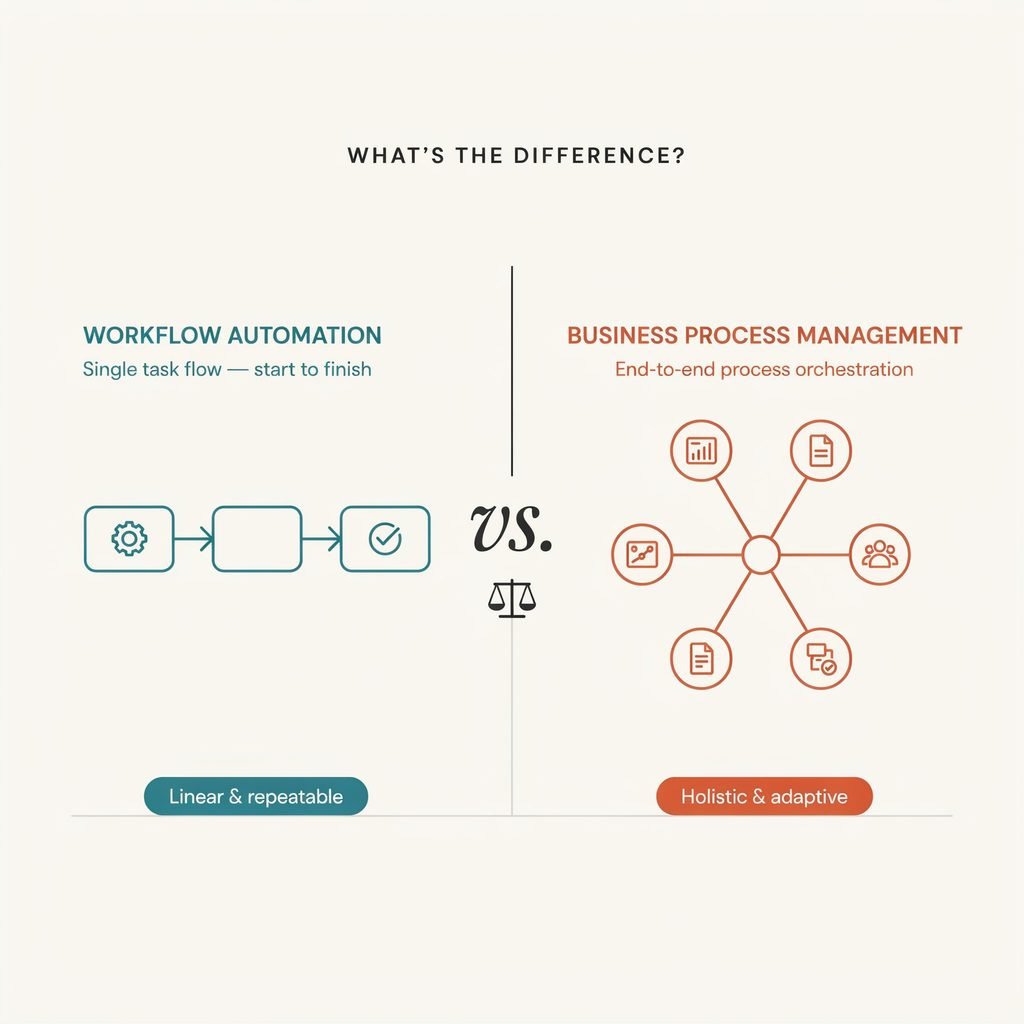
Here is the concise answer: Workflow automation automates defined task sequences, while BPM is the broader discipline of designing, managing, monitoring, governing, and continuously improving end-to-end business processes.
The confusion arises because both concepts share a common goal: reducing manual effort, minimizing errors, and accelerating business outcomes. However, a workflow is typically a defined sequence of tasks required to complete a specific job, whereas a business process is a much larger ecosystem. A comprehensive business process may include multiple workflows, diverse teams, disparate systems, complex decision trees, compliance controls, and exception management protocols.
Crucially, workflow automation and BPM are not necessarily competitors. In fact, workflow automation is often just one execution component within a broader BPM strategy. While workflow automation is usually tactical and task-focused, BPM addresses cross-functional processes, enterprise governance, performance metrics, and ongoing optimization. Understanding the distinction is vital for operations managers, IT leaders, and founders who need to choose the right approach—or the right combination of both—to solve their specific operational bottlenecks.
What Is Workflow Automation?
Workflow automation is the use of rule-based logic, triggers, integrations, and software to automatically route work, assign tasks, or complete repeatable activities without human intervention. It is the digital equivalent of an assembly line for administrative and operational tasks.
At its core, workflow automation relies on trigger-action logic. This operates on a simple premise: “When X happens, do Y.” For example, when a new lead fills out a web form (the trigger), the system automatically creates a record in the Customer Relationship Management (CRM) database and assigns a follow-up task to a sales representative (the action).
Core Capabilities of Workflow Automation
Modern workflow automation platforms handle a variety of routine tasks, including:
- Automated Approvals: Routing documents or requests to the correct manager based on predefined thresholds (e.g., expenses under $500 are auto-approved; expenses over $500 require director sign-off).
- Notifications and Reminders: Sending automated emails or Slack messages when a deadline is approaching or a task is stalled.
- Task Assignments: Automatically delegating work to the right team member based on workload, expertise, or territory.
- Data Synchronization: Moving data seamlessly between applications via API integration, eliminating the need for manual data entry across multiple systems.
The Focus: Speed and Consistency
Workflow automation is designed for repeatable, structured, and predictable tasks. By removing human intervention from routine steps, organizations benefit from faster execution, fewer manual handoffs, and a drastic reduction in data-entry errors.
Example: Consider a standard purchase request. In a manual environment, an employee might email a form to their manager, wait for a reply, forward it to finance, and then wait for the purchasing team to act. With workflow automation, the employee submits a digital form. The system instantly routes it to the manager for approval, alerts finance upon approval, and automatically generates a purchase order in the Enterprise Resource Planning (ERP) system. The operational workflows run silently in the background, ensuring the task is completed swiftly and consistently.
What Is Business Process Management (BPM)?
Business Process Management (BPM) is not just a software category; it is an ongoing, strategic management discipline. It involves analyzing, modeling, implementing, measuring, governing, and continuously improving end-to-end business processes to achieve specific organizational goals.
While workflow automation focuses on executing the steps, BPM focuses on the entire lifecycle of the process and the ultimate business outcome. It looks at the big picture, asking questions like: Is this process aligned with our strategic goals? Where are the compliance risks? How do we measure the overall efficiency of this operation?
The BPM Lifecycle
A robust business process management system relies on a continuous lifecycle of improvement, typically broken down into six phases:
- Discover and Map: Identify the current state of the process. This often involves process mapping and, increasingly, process mining—using system logs to objectively see how work actually flows versus how management assumes it flows.
- Analyze: Identify the process bottleneck, redundancies, risks, and inefficiencies. Process intelligence tools help leaders understand where delays occur and where costs are spiraling.
- Redesign or Standardize: Engage in business process redesign to streamline the workflow, eliminate unnecessary steps, and establish new standard operating procedures.
- Implement: Deploy the new process using workflow engines, system integration, and business rules engines to enforce logic and compliance.
- Monitor: Track process performance metrics (KPIs) via dashboards to ensure the process is meeting service-level agreements (SLAs) and compliance standards.
- Continuously Improve: Use process analytics to identify new areas for workflow optimization, ensuring the process adapts to changing market conditions or business needs.
BPM is deeply concerned with process governance, stakeholder roles, exception management, and cross-functional alignment. It is the strategic framework that ensures automated workflows are actually driving the business forward.
Workflow Automation vs. BPM: Key Differences
To visualize the distinction, it helps to compare them side-by-side. Workflow automation is generally an execution layer—the “muscle” that does the heavy lifting of moving data and tasks. BPM is the management layer—the “brain” that designs the workout, tracks the progress, and adjusts the strategy for long-term health.
| Area | Workflow Automation | Business Process Management |
|---|---|---|
| Primary focus | Automating defined tasks and task sequences | Managing and improving end-to-end processes |
| Scope | Narrower, often team or task level | Broader, often cross-functional and enterprise-wide |
| Main goal | Speed, consistency, and fewer manual steps | Operational efficiency, governance, visibility, and continuous improvement |
| Typical users | Department teams, operations staff, and individual business units | Process owners, operations leaders, IT, compliance, and executive teams |
| Complexity | Usually simpler and faster to deploy | Often more complex, with deeper planning and governance |
| Key capabilities | Triggers, approvals, routing, notifications, integrations | Process modeling, analytics, dashboards, governance, monitoring, optimization |
| Best use case | Repetitive, well-defined work | Strategic, high-volume, regulated, or cross-departmental processes |
| Example | Routing a new lead to a sales rep | Improving the full lead-to-customer lifecycle |
Understanding the Distinctions
The primary difference lies in scope and intent. If a marketing team wants to ensure that every time a blog post is published, a notification is sent to the social media team, that is workflow automation. It is a narrow, task-level execution.
However, if the executive team wants to reduce the overall time-to-market for new product launches by aligning R&D, legal, marketing, and supply chain departments, that requires BPM. BPM looks at process modeling across the entire organization, establishing governance, tracking compliance, and measuring the overall ROI of the launch process.
Furthermore, BPM inherently includes the concept of continuous process improvement. An automated workflow can run perfectly for years, but if the underlying process is fundamentally flawed or no longer serves the market, the automation simply helps you do the wrong thing faster. BPM ensures you are doing the right things, and workflow automation helps you do them efficiently.
Real-World Examples
To ground these concepts, let’s look at how workflow automation and BPM apply to common business scenarios.
1. Invoice Processing (Procure-to-Pay)
- Workflow Automation: Focuses on the immediate routing of the document. When a vendor submits an invoice via email, optical character recognition (OCR) extracts the data. The workflow automation platform routes the invoice to the correct department head for approval based on the cost center, sends payment reminders, and pushes the approved data to the accounting software for payment.
- BPM: Examines the entire procure-to-pay process. A BPM initiative would analyze supplier onboarding, negotiate early-payment discount terms, establish approval hierarchies to prevent fraud, manage exceptions (like mismatched purchase orders), and generate cycle-time reporting to ensure the company is optimizing its cash flow and maintaining healthy vendor relationships.
2. Employee Onboarding
- Workflow Automation: The employee onboarding workflow is triggered the moment a candidate signs an offer letter. The system automatically provisions IT accounts, assigns mandatory compliance training modules, schedules orientation meetings, and sends a welcome email with digital forms for payroll setup.
- BPM: Coordinates the complete, multi-month onboarding journey. BPM ensures that HR, IT, payroll, legal, security, and the hiring manager are all collaborating effectively. It tracks the new hire’s time-to-productivity, ensures compliance with regional labor laws, gathers feedback via 30-60-90 day surveys, and continuously refines the onboarding experience to improve employee retention.
3. Customer Support Escalation
- Workflow Automation: When a customer submits a support ticket, trigger-based automation categorizes the issue by keyword, assigns a priority level, and routes it to the appropriate tier-1 agent. If the ticket remains unresolved for 24 hours, an automated reminder is sent to the agent’s manager.
- BPM: Analyzes the end-to-end case management lifecycle. BPM leaders look at the root causes of support tickets, evaluate escalation rules, monitor adherence to service-level agreements, implement quality controls for agent interactions, and measure overall customer satisfaction outcomes. They use this data to redesign the product or update the knowledge base, ultimately reducing the volume of incoming tickets.
Benefits of Workflow Automation
Workflow automation delivers immense value, particularly when organizations need quick wins without overhauling their entire operational infrastructure. It is the cornerstone of modern task automation.
- Reduction of Repetitive Manual Work: By automating data entry and file routing, employees are freed from mundane chores, allowing them to focus on high-value, strategic work that requires human creativity and empathy.
- Improved Task Consistency: Human error is inevitable, especially during repetitive tasks. Automated business workflows ensure that every step is executed exactly the same way, every single time, adhering strictly to the defined business rules.
- Accelerated Approvals and Handoffs: Digital workflows eliminate the “waiting game.” Automated approvals ensure that requests are instantly pushed to the next stakeholder, drastically reducing cycle times.
- Seamless System Integration: Modern workflow tools excel at API integration, connecting disparate SaaS applications (like Slack, Salesforce, and Jira) so that data synchronization happens instantly in the background.
- Empowerment via Low-Code/No-Code: The rise of no-code workflow automation and low-code automation platforms means that operations managers and business analysts can build and modify digital workflows without relying heavily on IT developers.
Workflow automation works exceptionally well for stable, rules-based processes with clear triggers and predictable outcomes. It is the fastest route to immediate operational efficiency.
Benefits of BPM
While workflow automation speeds up tasks, Business Process Management transforms how the organization operates at a macro level. Organizations adopt BPM strategies when they need control, visibility, and scalability.
- End-to-End Process Visibility: BPM breaks down departmental silos. It provides leadership with a bird’s-eye view of cross-functional processes, revealing how a delay in one department impacts the final customer experience.
- Stronger Governance and Compliance: For highly regulated industries (like finance, healthcare, or government), BPM is non-negotiable. It enforces compliance automation, maintains a strict audit trail, and ensures that every action adheres to industry regulations and internal policies.
- Measurable Performance: BPM relies heavily on process analytics and dashboards. By tracking process performance metrics, leaders can make data-driven decisions rather than relying on guesswork.
- Standardization Across Locations: For growing enterprises, BPM ensures that a branch in Tokyo follows the exact same operational standards and quality controls as a branch in New York.
- Resilience and Exception Management: Real-world business is messy. BPM frameworks are designed to handle complex exception management. When a process deviates from the norm (e.g., a supply chain disruption), BPM protocols dictate how the business adapts, reroutes, and recovers without collapsing.
BPM is typically better suited for complex, high-stakes processes such as order-to-cash, claims management, customer onboarding, and enterprise-wide supply chain operations.
When to Choose Workflow Automation
How do you know which approach to deploy? You should lean toward workflow automation when your primary pain points are tactical and localized.
Choose Workflow Automation When:
- The pain point is a repetitive task: Your team is spending hours manually copying and pasting data between two applications, or sending manual follow-up emails.
- The process is already well-defined: You know exactly what steps need to happen, in what order, and who is responsible. The process doesn’t need redesigning; it just needs to be faster.
- You need quick implementation: You want to see visible time savings and ROI within days or weeks, not months.
- The rules are straightforward: The logic can be easily mapped out using simple “if/then” trigger-based automation.
- Enterprise-wide governance is not yet required: The process is contained within a single department (e.g., a marketing team managing content approvals) and doesn’t require complex, cross-departmental audit trails.
When to Choose BPM
You should invest in a comprehensive BPM strategy when your challenges are strategic, cross-functional, and tied to broader business outcomes.
Choose BPM When:
- The process crosses several departments: You are dealing with complex handoffs between Sales, Legal, Finance, and Fulfillment, and things are falling through the cracks.
- Leaders need process visibility: Executives cannot answer basic questions about cycle times, costs per transaction, or where bottlenecks are occurring in the customer journey.
- You face strict compliance requirements: Your industry mandates rigorous audit trails, risk management, and adherence to service-level agreements.
- There are many exceptions: The process rarely runs perfectly from start to finish; it requires complex human judgment, dynamic routing, and robust exception management.
- The goal is business process redesign: You aren’t just trying to speed up a bad process; you want to fundamentally reimagine the end-to-end customer or operational journey to gain a competitive advantage.
Can You Use BPM and Workflow Automation Together?
The most successful organizations do not view this as an “either/or” decision. The strongest approach to enterprise automation is layered, combining the strategic oversight of BPM with the tactical execution of workflow automation, alongside other advanced technologies.
Think of it as a hierarchy of operations:
- BPM identifies, models, governs, and continuously improves the broader process landscape.
- Workflow Automation acts as the engine, executing the routine, rules-based steps within that governed process.
- Robotic Process Automation (RPA) is deployed to handle highly repetitive, screen-scraping tasks in legacy applications that lack modern API integration.
- Artificial Intelligence (AI) Automation and intelligent automation support the process by handling unstructured data—such as document classification, content extraction from invoices, or suggesting routing paths for complex customer inquiries. Crucially, AI operates within the guardrails of human oversight and established business rules.
A Layered Example: The Order-to-Cash Process
Consider a manufacturing company managing its order-to-cash process.
- The BPM strategy dictates the overall lifecycle: it defines the credit-risk policies, sets the SLAs for shipping, monitors the days-sales-outstanding (DSO) metrics, and ensures compliance with international trade laws.
- Within that framework, workflow automation handles the granular steps: when an order is placed, it automatically triggers a credit check, routes the order to the warehouse for picking, generates the invoice, and sends a payment reminder to the client.
- If a client submits a purchase order as a scanned PDF, AI automation extracts the line items, while RPA might be used to log into an archaic mainframe system to update the inventory ledger.
By combining these disciplines, the organization achieves true process orchestration.
How to Get Started
If you are evaluating business process management software or workflow automation tools, avoid the temptation to automate everything at once. A phased, strategic approach yields the best results.
- Select One High-Volume, Low-Risk Process: Start with a process that causes daily friction but won’t cripple the business if an error occurs during the testing phase (e.g., internal IT helpdesk ticketing or standard employee time-off requests).
- Document the Current Workflow: Use process mapping to document exactly how the work gets done today. Include every handoff, email, and spreadsheet involved.
- Identify Bottlenecks and Redundancies: Look for duplicate data entry, unnecessary approval layers, and delays. Ask the frontline workers where the process breaks down.
- Define Success Metrics: What does operational excellence look like for this process? Define your KPIs, such as target cycle time, error rate reduction, or cost per transaction.
- Automate Stable Tasks First: Deploy a workflow management system to automate the predictable, rules-based steps. Utilize low-code automation to connect your existing apps via API integration.
- Expand to BPM as Complexity Grows: Once you have mastered task automation, look at the broader picture. Apply BPM principles to establish process governance, cross-functional visibility, and continuous process improvement.
- Review and Refine: Automation is not a “set it and forget it” project. Review your process analytics regularly and refine the workflow design to adapt to new business realities.
Frequently Asked Questions
Is workflow automation the same as BPM?
No. Workflow automation is a tactical technology used to automate specific sequences of tasks and data movement. BPM is a broader, strategic management discipline that encompasses the design, execution, monitoring, and continuous optimization of entire end-to-end business processes. Workflow automation is often a tool used within a BPM strategy.
Is BPM a type of automation?
Not exactly. BPM is a management methodology. While modern BPM relies heavily on automation software to execute processes, the discipline itself is focused on analysis, governance, and improvement. You can practice BPM by mapping and analyzing a process even before any automation is implemented.
What is the difference between workflow automation and business process automation (BPA)?
Workflow automation typically focuses on routing tasks and data between individuals and applications. Business Process Automation (BPA) is a step up; it focuses on automating complex, multi-step processes across the enterprise to achieve a specific business outcome. BPA often incorporates workflow automation, but also includes system integration, complex business rules engines, and deeper organizational alignment.
Can a small business use BPM?
Absolutely. While large enterprises use BPM for massive global operations, small and medium-sized businesses (SMBs) benefit immensely from BPM principles. For a small business, BPM might simply mean formally documenting the customer onboarding workflow, identifying where leads are dropping off, and standardizing the sales process to ensure consistent revenue growth.
Does BPM replace workflow automation?
No, they are complementary. BPM provides the strategic blueprint and governance, while workflow automation provides the mechanical execution. Trying to manage a complex, modern BPM strategy without workflow automation would result in slow, manual, and error-prone operations.
What tools are used for workflow automation and BPM?
Workflow automation is often handled by tools like Zapier, Make, Microsoft Power Automate, or native automation features within SaaS platforms (like HubSpot or Jira). BPM is typically managed via dedicated business process management systems (BPMS) or low-code application platforms (LCAP) like Appian, Pega, Camunda, or Flowform, which offer advanced process modeling, analytics, and governance capabilities.
Conclusion
The debate of workflow automation vs. business process management is not about choosing a winner; it is about understanding the right tool for the right level of operational complexity.
Workflow automation is ideal for speeding up defined tasks, eliminating manual data entry, and ensuring that routine handoffs happen instantly. It provides immediate relief to overburdened teams and drives localized efficiency. BPM, on the other hand, provides the strategic framework necessary to govern, measure, and continuously improve complete business processes over time, ensuring that the entire organization is aligned, compliant, and focused on the customer experience.
For most growing businesses, the best path forward is evolutionary. Begin with targeted workflow automation to secure quick wins, eliminate immediate bottlenecks, and build a culture that embraces digital workflows. As your operations scale, and as your processes become more cross-functional and heavily regulated, naturally evolve toward a comprehensive BPM strategy. By layering tactical automation within a framework of strategic process management, your organization will build a resilient, agile foundation capable of achieving true operational excellence.